Loading
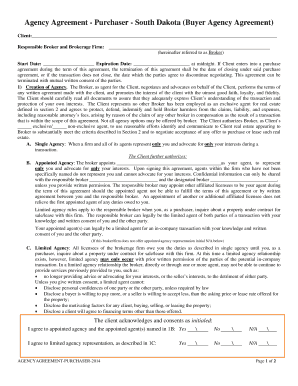
Get Sd Agency Agreement - Purchaser 2014-2026
How it works
-

Open form follow the instructions
-

Easily sign the form with your finger
-

Send filled & signed form or save
How to fill out the SD Agency Agreement - Purchaser online
Completing the SD Agency Agreement - Purchaser online is a straightforward process that ensures your interests are represented during real estate transactions. This guide will walk you through each step to help you fill out the form accurately and efficiently.
Follow the steps to complete the SD Agency Agreement - Purchaser online.
- Click the ‘Get Form’ button to obtain the form and open it in the editor.
- Begin by entering the Client's name and contact information in the designated fields. This includes your full name, phone number, and email address. Ensure all details are accurate for effective communication.
- Next, fill in the Responsible Broker and Brokerage Firm's information. Include the name of the broker and the brokerage firm you are entering into the agreement with.
- Specify the Start Date and Expiration Date of the agreement. Make sure to enter these dates accurately as they determine the duration of your agency agreement.
- Review the section on the Creation of Agency. It details the responsibilities and commitments of both you and the Broker. Read through this carefully to understand the scope of your agreement.
- In the Description of Property section, outline the type of property you wish to purchase or lease. Fill in the Type of Property, Price Range, and Location based on your preferences.
- Proceed to the Broker Services and Compensation section, where you will indicate the Broker's compensation, either as a percentage of the sales price or a fixed amount. Ensure that this aligns with your agreement with the Broker.
- Acknowledge the Other Potential Buyers clause, which states the Broker's right to show the property to other clients. This ensures transparency in your dealings.
- Review the Nondiscrimination section to confirm your understanding of the firm's commitment to fair practices as per the law.
- If necessary, fill out the Financial Capability section, where you can confirm your agreement to apply for financing and authorize the Broker to obtain financial information from your lender.
- Finally, sign and date the agreement at the end of the document. Ensure that all parties involved have signed to validate the agreement.
- Once completed, you can save your changes, download a copy for your records, print the document, or share it as needed.
Start completing your documents online today to ensure a smooth real estate process.