Loading
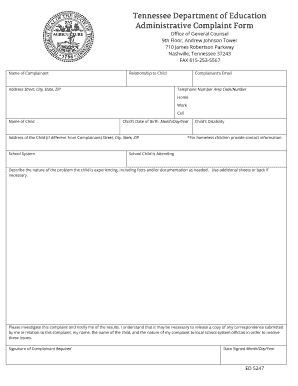
Get Tn Ed 5247 2007-2026
How it works
-

Open form follow the instructions
-

Easily sign the form with your finger
-

Send filled & signed form or save
How to fill out the TN ED 5247 online
Filling out the TN ED 5247 form online can be a straightforward process when you understand the components and requirements. This guide provides step-by-step instructions to help you efficiently complete the form related to administrative complaints in the Tennessee education system.
Follow the steps to effectively complete the TN ED 5247 form.
- Click the ‘Get Form’ button to access the TN ED 5247 form and open it in the online editor.
- Begin by entering the name of the complainant in the designated field. Ensure that the name is correctly spelled, as it will be used for correspondence regarding the complaint.
- Indicate your relationship to the child in the corresponding field, such as parent, guardian, or other relevant roles.
- Provide the complainant's address, including street, city, state, and ZIP code. This information is necessary for contacting you.
- Fill in the complainant’s email address to facilitate further communication.
- Enter the telephone number, including area code, and specify whether it is your home, work, or cell number.
- Input the name of the child related to the complaint.
- Input the child’s date of birth in the specified format (Month/Day/Year) to ensure accurate identification.
- If the child's address is different from the complainant’s, provide that information in the designated field.
- Select the school system that the child is enrolled in to help direct the complaint.
- Identify the child’s disability, if applicable, to give context to the complaint.
- If the child is homeless, make sure to include appropriate contact information as required.
- Specify the school the child is currently attending, as this is critical for addressing the complaint correctly.
- Describe the nature of the problem the child is experiencing in detail. Include any relevant facts and/or documentation, and make use of additional sheets if necessary.
- Add a request for an investigation of the complaint and an acknowledgment that correspondence related to it may need to be shared with local school system officials.
- Ensure to sign the form where indicated by the signature line of the complainant.
- Finally, enter the date the form is signed in the specified field (Month/Day/Year).
- After completing all fields, you can save your changes, download the form, print it for manual submission, or share it electronically as necessary.
Complete your TN ED 5247 form online today to ensure your concerns are addressed promptly.
Related links form
The legal limit in Tennessee is for blood alcohol tests or breath alcohol test is 0.08. What 0.08 stands for essentially is it is a measure of the number of grams of alcohol per 100 milliliters of blood.