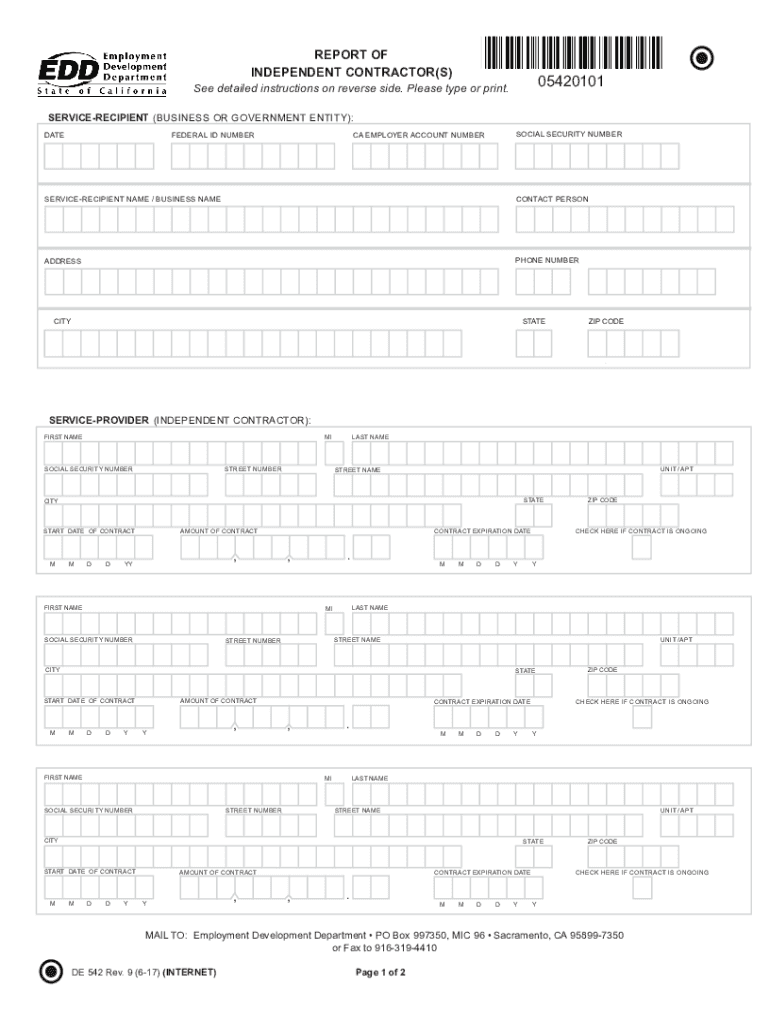
NUMBER CA EMPLOYER ACCOUNT NUMBER SERVICE-RECIPIENT NAME / BUSINESS NAME CONTACT PERSON ADDRESS PHONE NUMBER CITY STATE ZIP CODE SERVICE-PROVIDER (INDEPENDENT CONTRACTOR): FIRST NAME MI SOCIAL SECURITY NUMBER STREET NUMBER LAST NAME UNIT/APT STREET NAME STATE CITY START DATE OF CONTRACT M M D D Y AMOUNT OF CONTRACT , Y FIRST NAME . M M D D UNIT/APT STATE START DATE OF CONTRACT M D D Y AMOUNT OF CONTRACT , Y CONTRACT EXPIRATION DATE . , FIRST NAME M.
Loading

Open form follow the instructions

Easily sign the form with your finger

Send filled & signed form or save
How to fill out the CA DE 542 online
The CA DE 542 is a report that must be filed by any business or government entity hiring independent contractors. This guide will provide you with clear and concise instructions on how to complete this form online, ensuring that you provide all necessary information accurately.
Follow the steps to fill out the CA DE 542 online correctly.
- Click ‘Get Form’ button to obtain the form and open it in your document editor.
- Complete the service-recipient section, including the business or government entity name, federal ID number, contact person, address, and phone number.
- Provide the social security number and California employer account number, if applicable, for the service-recipient.
- In the service-provider section, enter the first name, middle initial, last name, and social security number of the independent contractor.
- Fill out the contractor's address, including street number, street name, city, state, and ZIP code.
- Indicate the start date of the contract using the designated format, followed by the contract amount including cents.
- Specify the contract expiration date, or check the box indicating that the contract is ongoing.
- Review all entries for accuracy before finalizing the form.
- Once completed, save changes, download the form, and print or share it as required.
Complete your forms online to ensure a seamless reporting process.
Experience a faster way to fill out and sign forms on the web. Access the most extensive library of templates available.
Related content
WHO MUST REPORT: Any business or government entity (defined as a “Service-Recipient”)...
DE 542 Rev. 5 (1-11) (INTERNET) MAIL TO: Employment Development Department • P.O. Box...
Morro Bay is an incorporated waterfront city in San Luis Obispo County, California located...
Use professional pre-built templates to fill in and sign documents online faster. Get access to thousands of forms.
If you believe that this page should be taken down, please follow our DMCA take down process here.