Loading
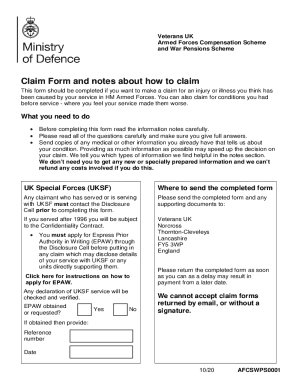
Get Uk Afcs/wps001 2020-2026
How it works
-

Open form follow the instructions
-

Easily sign the form with your finger
-

Send filled & signed form or save
How to fill out the UK AFCS/WPS001 online
Filling out the UK AFCS/WPS001 form is an important step for individuals seeking compensation for injuries or illnesses sustained during service in HM Armed Forces. This guide will provide clear and detailed instructions to navigate the online form efficiently.
Follow the steps to successfully complete the UK AFCS/WPS001 form.
- Click the ‘Get Form’ button to download and access the UK AFCS/WPS001 form on your computer.
- Begin by completing Part 1, which gathers information about you. Fill in your title, surname, any other names, contact address, daytime and mobile phone numbers, date of birth, and National Insurance number.
- Indicate if you have made a previous claim under the WPS or AFCS and provide necessary details if applicable.
- Proceed to Part 2 to provide details about your service history, including name in service, service number, branch, type of service, rank, trade, dates of enlistment and discharge, and the reason for discharge.
- In Part 3, list the conditions or injuries you are claiming. Be specific about the side of the body that is affected and provide details about when the condition began and how it relates to your service.
- Continue through Parts 4 and 5 to provide medical treatment history, details of any compensation previously received, and other related benefits.
- Complete Part 8 with your payment details, making sure to indicate the correct account type for payments.
- Use Part 9 to consent to email correspondence, if preferred. Ensure to enter an email address and understand the limitations on information shared via email.
- Review and sign the declaration in Part 11, ensuring it is completed accurately.
- Double-check all sections of the form for completeness and accuracy. Gather any additional documentation to support your claim.
- Submit your completed form and supporting documents by post to the address indicated on the form. Remember to do this promptly to avoid delays.
Complete your UK AFCS/WPS001 form online today to ensure your claim progresses smoothly.