Loading
Get Uk Sa 109 2020-2026
How it works
-

Open form follow the instructions
-

Easily sign the form with your finger
-

Send filled & signed form or save
How to fill out the UK SA 109 online
Understanding how to complete the UK SA 109 form can be essential for those managing their tax obligations properly. This guide provides clear, step-by-step instructions to assist users in accurately filling out this online document.
Follow the steps to complete the form efficiently.
- Click the ‘Get Form’ button to obtain the form and open it in the editor.
- Enter your name in the appropriate field, ensuring that it matches your official identification documents.
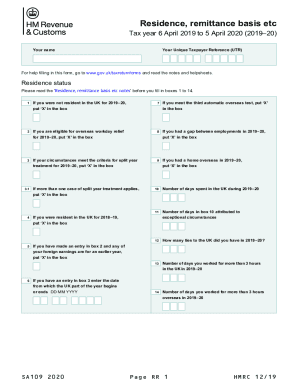
- Review the 'Residence status' section. Carefully read the relevant notes before answering questions 1 through 14.
- Proceed to the 'Personal allowances for non-residents and dual residents' section. Indicate your eligibility for allowances in boxes 15 and 16 based on the guidelines provided.
- Complete the 'Residence in other countries' section by entering the countries where you have tax residency in box 18, and provide necessary codes in subsequent boxes.
- Complete the 'Remittance basis' section, entering claims and amounts in boxes as required, including investment details if applicable.
- Once you have filled in all applicable sections and boxes, you can save your changes.
Start filling out the UK SA 109 online today to ensure your tax matters are accurately managed.