Loading
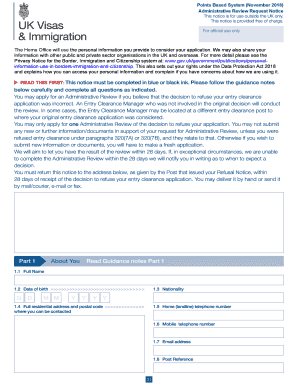
Get Uk Administrative Review Request Notice 2018-2026
How it works
-

Open form follow the instructions
-

Easily sign the form with your finger
-

Send filled & signed form or save
How to fill out the UK Administrative Review Request Notice online
This guide provides a clear and supportive overview of how to fill out the UK Administrative Review Request Notice online. Following these instructions will help ensure your application is completed accurately and submitted correctly.
Follow the steps to complete your Administrative Review Request Notice
- Click ‘Get Form’ button to obtain the form and open it in your browser.
- Begin with Part 1: About You. Fill in your full name, date of birth, nationality, and complete residential address including postal code. Make sure your contact details such as home telephone, mobile number, and email address are accurate.
- Proceed to Part 2: About your Review. Enter the reasons for your refusal as stated in your Refusal Notice. Clearly articulate why you believe a mistake was made for each reason mentioned, providing concise and relevant information.
- In Part 3: Declaration, confirm that the information provided is accurate by signing the applicant's section. If applicable, a parent or legal guardian should also sign and provide the date of signature. Ensure all dates are accurately filled in.
- Finally, in Part 4: What to do next, retain a copy of this notice for your records. Submit the original to the address listed on the first page, and remember to notify the appropriate office if your contact details change.
Complete your UK Administrative Review Request Notice online today to ensure your application is processed.