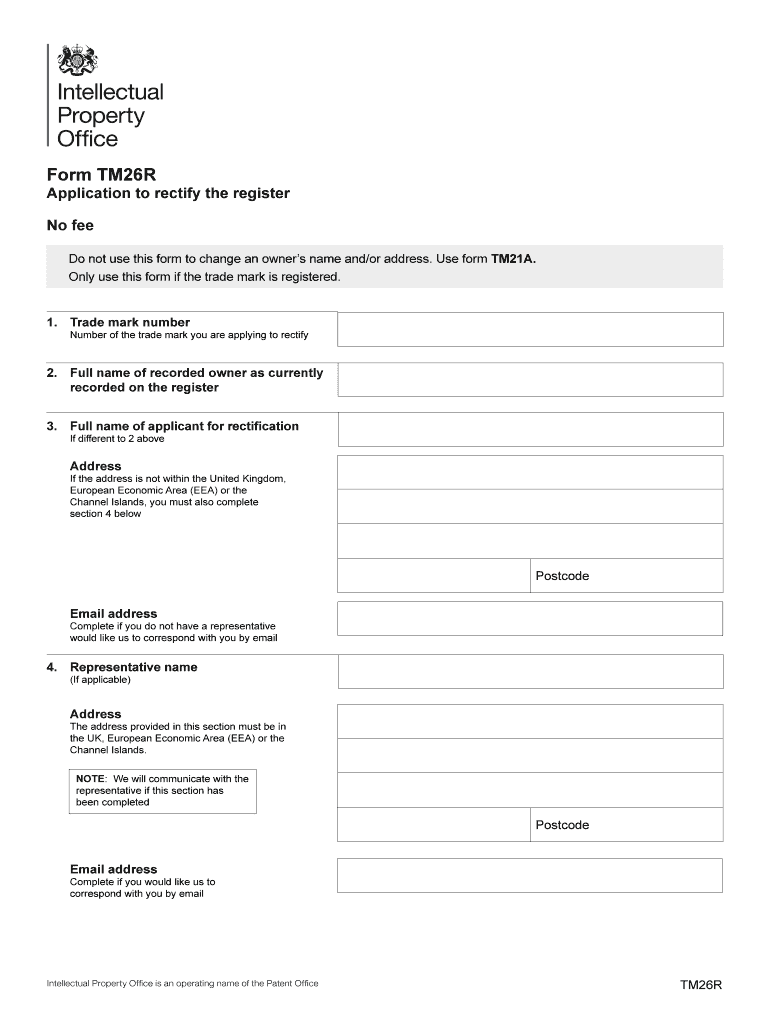
De mark number Number of the trade mark you are applying to rectify 2. Full name of recorded owner as currently recorded on the register 3. Full name of applicant for rectification If different to 2 above Address If the address is not within the United Kingdom, European Economic Area (EEA) or the Channel Islands, you must also complete section 4 below Postcode Email address Complete if you do not have a representative would like us to correspond with you by email 4. Representative name.
Loading

Open form follow the instructions

Easily sign the form with your finger

Send filled & signed form or save
How to fill out the UK TM26R online
The UK TM26R form is essential for applying to rectify the register of a registered trademark. This guide provides step-by-step instructions to assist users in accurately completing the form online.
Follow the steps to complete the UK TM26R form online.
- Press the ‘Get Form’ button to access the UK TM26R form and open it in the editor.
- Enter the trade mark number you are seeking to rectify in the appropriate field.
- Provide the full name of the recorded owner as currently recorded on the register.
- If the applicant for rectification differs from the recorded owner, enter their full name in the respective field.
- Complete the address field. If the address is outside the UK, EEA, or Channel Islands, ensure to fill out section 4 as well.
- Input the email address if you prefer to receive correspondence via email and do not have a representative.
- If you have a representative, fill in their name and address, ensuring it is within the UK, EEA, or Channel Islands.
- Provide your representative's email if you wish to receive correspondence through them.
- Detail the error or omission that requires correction in the specified box. Use a continuation sheet if necessary.
- Complete the declaration by signing, printing your name in BLOCK CAPITALS, and entering the date.
- If you are filing other forms to change the register details, input those details in the section provided, along with any additional trade mark numbers.
- Complete the ‘Your Reference’ section if you would like it included in communications; otherwise, leave it blank.
- Provide contact details, including your name and daytime phone number, for any queries.
- Review the checklist to ensure you have all required information and then submit the form.
- Save your changes, download, print, or share the finished form as needed.
Begin your application to rectify the register by completing the TM26R form online today.
Experience a faster way to fill out and sign forms on the web. Access the most extensive library of templates available.
Related content
The United Kingdom has voted to leave the European Union (popularly known ... in 2013, the...
Use professional pre-built templates to fill in and sign documents online faster. Get access to thousands of forms.
If you believe that this page should be taken down, please follow our DMCA take down process here.
This form is available in several versions. Select the version you need from the drop-down list below.