Ithout Leave CE Compensation Time Earned OT Overtime M Military Leave R Restored Leave D Award Leave CU Compensation Time Used C Continuation of Pay for Traumatic PER PAY PERIOD ANNUAL SICK 4 4 6* 4 8 4 MONDAY TUESDAY WEDNESDAY PER LEAVE YEAR ANNUAL SICK 104 104 160 104 208 104 THURSDAY FRIDAY SATURDAY L Leave Without Pay ANNUAL LEAVE *10 hours pay period ending 12/26. SUNDAY MONDAY TUESDAY WEDNESDAY THURSDAY FRIDAY SATURDAY SICK LEAVE CARRY-OVER CARRY-OV.
Loading

Open form follow the instructions

Easily sign the form with your finger

Send filled & signed form or save
How to fill out the GSA 873 online
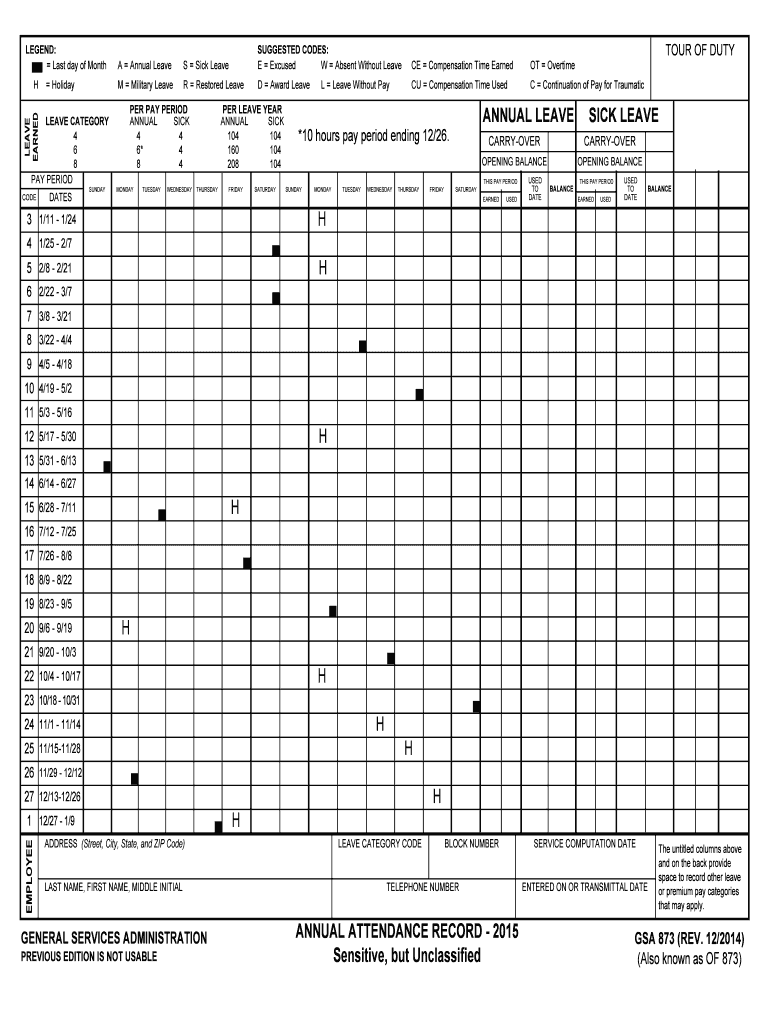
The GSA 873 form is an essential document used for recording daily and bi-weekly pay and leave activity for employees. This guide aims to provide clear, step-by-step instructions on how to accurately fill out the GSA 873 form online, ensuring that users can complete the process with ease.
Follow the steps to successfully complete the GSA 873 form.
- Click ‘Get Form’ button to obtain the form and open it in the editor.
- Begin by entering your personal information in the designated fields. This includes your last name, first name, middle initial, address (street, city, state, and ZIP code), and telephone number.
- Next, locate the block number section and enter the appropriate block number as designated by your agency.
- Identify the service computation date and input it accurately. This date will help in calculating your leave balances and entitlements.
- In the leave category section, select the appropriate leave types from the options provided (e.g., annual leave, sick leave). Record the codes corresponding to each leave type.
- Then, fill out each pay period by entering the dates, and noting any leave earned, used, or balances. Carefully check the date ranges are correct as they are crucial for accurate record-keeping.
- Include any additional leave or premium pay categories that may apply, such as military leave or overtime, in the untitled columns available on the form for comprehensive tracking.
- After completing all the sections, review the information entered for any errors or omissions to ensure accuracy.
- Once you have verified the information, you can proceed to save changes, download the completed form, or print it out. You may also choose to share the completed version with your supervisor or the payroll department.
Start completing your GSA 873 form online today for accurate and efficient leave management.
Experience a faster way to fill out and sign forms on the web. Access the most extensive library of templates available.
Related content
These are most often used by GSA employees, contractors and customers. Standard Forms (SF)...
(505) 873-0220 Phone | (505) 873-8523 Fax. Albuquerque Public Schools. Mailing Address:...
You can help stop Medicaid fraud. Call OMIG's Fraud Hotline at 1-877-87 FRAUD...
Use professional pre-built templates to fill in and sign documents online faster. Get access to thousands of forms.
If you believe that this page should be taken down, please follow our DMCA take down process here.
This form is available in several versions. Select the version you need from the drop-down list below.