Loading
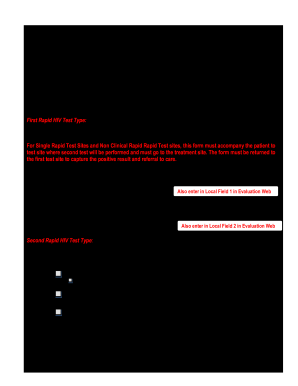
Get Nj Hiv Positive Tracking Form 2013
How it works
-

Open form follow the instructions
-

Easily sign the form with your finger
-

Send filled & signed form or save
How to fill out the NJ HIV Positive Tracking Form online
Filling out the NJ HIV Positive Tracking Form is an essential process for tracking and managing HIV test results. This guide provides clear, step-by-step instructions to assist users in completing the form accurately and efficiently.
Follow the steps to complete the NJ HIV Positive Tracking Form online.
- Click 'Get Form' button to obtain the form and open it for completion.
- Begin by entering the client ID number in the designated field. This is a crucial identifier for the person undergoing the HIV testing.
- Fill in the date of the first rapid HIV test in the 'Date' field. Ensure the date format is consistent with the guidelines provided.
- Locate the section for the first test site. Enter the first test site ID number and name accurately, followed by the counselor's name and contact number who assisted at the first testing site.
- In the 'First Rapid HIV Test Type' section, choose the appropriate specimen type by circling one of the options: OraQuick, Clearview, STAT-PAK, oral, fingerstick, or venipuncture.
- Indicate the test result by marking either 'Positive' or 'Negative'. Fill in the test kit lot number as well.
- Proceed to the second rapid HIV test section. Fill in the date of the second test and, if different from the first site, provide the second test site ID number, name, counselor's name, and number.
- Select the specimen type for the second rapid test by circling the applicable option.
- Once again, indicate the test result for the second test and fill in the test kit lot number.
- In the evaluation section, document if both tests were positive or if there was a discordant result. For discordant results, make a note to contact the NJ HIV Program and follow the instructions provided.
- Indicate the referral information. Fill in the date the client was referred to treatment and the appointment date.
- Finally, document whether the appointment was kept. If not, provide a brief reason and the name of the individual who navigated the patient.
- After completing all fields, ensure to save your changes. Users can then choose to download, print, or share the completed form as needed.
Complete the NJ HIV Positive Tracking Form online today to ensure efficient tracking and management of HIV test results.
Get form
Experience a faster way to fill out and sign forms on the web. Access the most extensive library of templates available.
To obtain an HIV report, contact your healthcare provider who performed the test. They can provide you with your results and necessary documents, like the NJ HIV Positive Tracking Form if needed. Maintaining this report is important for personal records and to ensure continuity of care.
Get This Form Now!
Use professional pre-built templates to fill in and sign documents online faster. Get access to thousands of forms.