Loading
Get Ky Map-900 2015
How it works
-

Open form follow the instructions
-

Easily sign the form with your finger
-

Send filled & signed form or save
How to fill out the KY MAP-900 online
The KY MAP-900 is a vital form for Medicaid provider enrollment in Kentucky. This guide provides clear, step-by-step instructions for filling out the form online, ensuring you complete each section accurately and efficiently.
Follow the steps to complete the KY MAP-900 online.
- Click ‘Get Form’ button to obtain the KY MAP-900 and open it in the editor.
- Begin with Section A: Administrative Information. Provide your Kentucky Medicaid provider number if revalidating. If you are an entity or group, indicate the name clearly and include any relevant suffixes.
- In Section A, specify the name under which the provider will conduct business, marking 'N/A' if not applicable. Include the license or certification number and the provider type, for example, 'physician' or 'dentist'.
- Include the type of service you will provide, such as 'acute care' or 'diabetic supplies', and enter your National Provider Identifier (NPI). Ensure this matches the documentation provided.
- Complete the tax information. Indicate whether you will use your Social Security number (SSN) or a Federal Employer Identification Number (FEIN). Also, provide your date of birth.
- Fill out the tax structure and provide contact information for the agent of service in case of a summons, including their telephone number.
- Input your primary physical business location details, mailing address, and Pay-to/1099 address, ensuring all fields are completed.
- Continue to Section B: Disclosure of Ownership and Control Interest. Provide details on previous ownership, if applicable, and list any individuals or entities with a significant ownership interest.
- Complete Section C: Attestations, if enrolling as an individual provider. Answer all questions related to licensure, privileges, education, and criminal history accurately.
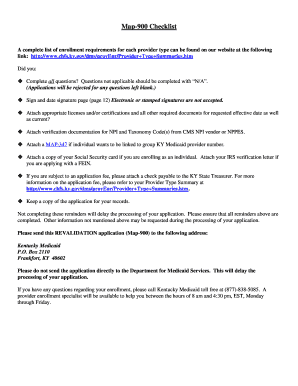
- Ensure all fields are filled in properly and sign and date the signature page. Remember, electronic or stamped signatures are not acceptable.
- Finally, review your completed application for accuracy, download it for your records, and be prepared to save changes, print, or share the form as needed.
Take action today and complete your KY MAP-900 online to ensure timely processing of your application.
Get form
Experience a faster way to fill out and sign forms on the web. Access the most extensive library of templates available.
Get This Form Now!
Use professional pre-built templates to fill in and sign documents online faster. Get access to thousands of forms.