Loading
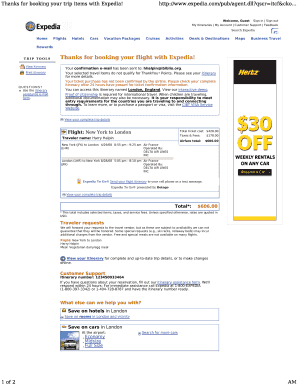
Get Customer Service Portal - Expedia
How it works
-

Open form follow the instructions
-

Easily sign the form with your finger
-

Send filled & signed form or save
How to fill out the Customer Service Portal - Expedia online
This guide provides clear instructions on how to effectively utilize the Customer Service Portal on Expedia. Whether you are seeking assistance with your travel itinerary or need support for other travel-related inquiries, this step-by-step guide will help you navigate the process with ease.
Follow the steps to successfully complete the form
- Click ‘Get Form’ button to obtain the form and open it in your browser.
- Fill in your itinerary number as requested in the form. This is crucial for addressing your specific reservation issues.
- Provide your contact information, ensuring that you enter your email and phone number correctly for any follow-up communication from Expedia.
- Describe the nature of your inquiry or issue clearly in the provided text box. Be specific to help expedite the process.
- Review all entered information for accuracy before submitting, as this will aid in faster resolution of your request.
- Once satisfied with your entries, click the submit button to send your request. You will receive a confirmation of your submission shortly after.
Complete your document online now to ensure you receive the support you need.
Additionally, customers will find it easy to make changes or re-book their flights by simply calling the prominently displayed Expedia customer service number: 1 (800) EXPEDIA.
Industry-leading security and compliance
US Legal Forms protects your data by complying with industry-specific security standards.
-
In businnes since 199725+ years providing professional legal documents.
-
Accredited businessGuarantees that a business meets BBB accreditation standards in the US and Canada.
-
Secured by BraintreeValidated Level 1 PCI DSS compliant payment gateway that accepts most major credit and debit card brands from across the globe.