Loading
Get Firstpoint Timesheet
How it works
-

Open form follow the instructions
-

Easily sign the form with your finger
-

Send filled & signed form or save
How to fill out the Firstpoint Timesheet online
Filling out the Firstpoint Timesheet online is an essential task for users to ensure accurate payment for their work hours. This guide offers clear, step-by-step instructions to assist you in completing each section of the timesheet efficiently.
Follow the steps to complete your Firstpoint Timesheet accurately.
- Click ‘Get Form’ button to obtain the timesheet and open it in the editor.
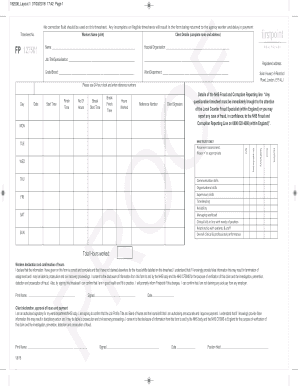
- Begin by printing your name clearly in the 'Workers Name' field. This identifies you as the person submitting the timesheet.
- In the 'Timesheet No.' section, enter the unique identification number assigned to this timesheet for tracking purposes.
- Provide the name of the hospital or organization where you were assigned in the corresponding field.
- Indicate your job title or specialization to help clarify your role.
- Fill in your grade or brand if applicable, to denote your professional classification.
- Specify your ward or department name to ensure the timesheet reaches the correct location.
- Use the 24-hour clock format to record the date, start time, finish time, break start time, and break finish time for each day you worked.
- Calculate and enter the total number of hours worked each day in the designated field.
- Complete the 'Reference Number' section as required by your organization for additional tracking.
- Secure a client signature in the appropriate area to confirm your hours worked.
- Review the declaration section. Print your name, sign, and date the timesheet to confirm the accuracy of your information and your eligibility.
- The client must also complete their section by printing their name, signing, and dating the document for approval of your hours and payment.
- Finally, save your changes, download a copy for your records, and print or share the completed form as necessary.
Complete your Firstpoint Timesheet online today to ensure prompt processing of your payment.
A timesheet is a data table which an employer can use to track the time a particular employee has worked during a certain period. Businesses use timesheets to record time spent on tasks, projects, or clients.