Loading
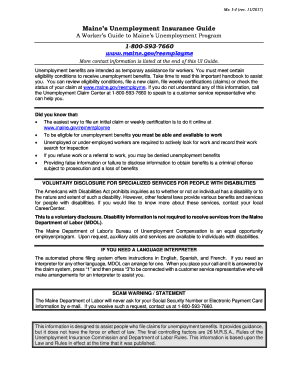
Get 18005937660
How it works
-

Open form follow the instructions
-

Easily sign the form with your finger
-

Send filled & signed form or save
How to fill out the 18005937660 online
This guide provides comprehensive instructions for users on how to fill out the 18005937660 form online. By following each step carefully, users can navigate the process with confidence and clarity.
Follow the steps to complete the 18005937660 form online.
- Click the 'Get Form' button to obtain the form and open it in the editor.
- Create or sign into your account to access the online form. Ensure that a valid email address is used.
- Follow the instructions provided on each screen to fill out your claim accurately. Ensure that you provide all the requested information.
- Select your most recent employer from the list. If not listed, enter your employer's full details.
- Review all entered information for completeness and accuracy. Incomplete or inaccurate submissions may delay processing.
- Submit your claim. After submission, keep an eye out for a confirmation number and confirmation email to verify your successful filing.
- You have the option to save your changes, download the form, or share it as needed based on your situation.
Complete your unemployment claims process online to ensure timely assistance.
If you've run payroll in Maine before, you can find your Employer Account Number on notices received from the Maine Department of Labor, Form ME UC-1 or by calling the agency at (207) 621-5120.
Industry-leading security and compliance
US Legal Forms protects your data by complying with industry-specific security standards.
-
In businnes since 199725+ years providing professional legal documents.
-
Accredited businessGuarantees that a business meets BBB accreditation standards in the US and Canada.
-
Secured by BraintreeValidated Level 1 PCI DSS compliant payment gateway that accepts most major credit and debit card brands from across the globe.