Loading
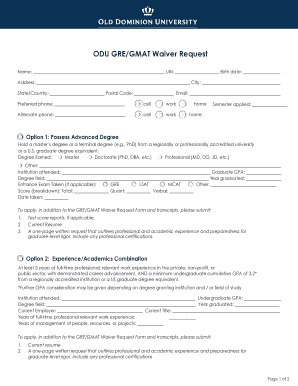
Get Odu Gre Waiver
How it works
-

Open form follow the instructions
-

Easily sign the form with your finger
-

Send filled & signed form or save
How to fill out the Odu Gre Waiver online
This guide provides a clear and comprehensive overview of how to fill out the Odu Gre Waiver online. By following these steps, users can ensure they complete the waiver request accurately and submit it successfully.
Follow the steps to complete the Odu Gre Waiver online
- Press the ‘Get Form’ button to access the waiver request form and open it in the online editor.
- Begin by entering your full name in the designated field.
- Input your unique identification number (UIN) and date of birth in the respective fields.
- Provide your current address, including city, state or country, and postal code.
- Enter your email address and preferred phone numbers, selecting the type (cell, work, home) for each.
- Select the semester you are applying for from the dropdown or selection options.
- Choose the appropriate option that applies to your request based on your qualifications, such as possessing an advanced degree, a combination of experience and academics, military experience, recent high-potential undergraduate status, or expired GMAT/GRE scores.
- Complete the required fields based on your chosen option, providing details about your degrees, institutions attended, GPA, and relevant experience.
- If applicable, enter your entrance exam scores, including total, quantitative, verbal, and the date the exam was taken.
- Prepare the additional materials needed to support your waiver request, including a current resume and a one-page written request as outlined in the instructions.
- Review your completed form for accuracy and completeness, ensuring all sections are filled out correctly.
- Once finished, save your changes and choose to download, print, or share the form as needed.
Complete your Odu Gre Waiver online today to ensure a smooth application process.
To apply, students should complete the GRE Fee Reduction Request Form (PDF) and follow the instructions on the form regarding the submission of materials to ETS. Voucher numbers are sent to recipients via email within two weeks of ETS approval of the request.