Im. For example: • other periods of service • how you are affected by the condition you are claiming for • any military decorations you may have received • details of any witnesses to an accident • details of any additional evidence we may be able to request relating to your claim • details of any previous War Pension Scheme or Armed Forces Compensation Scheme claims and reference numbers. 11 Part 7 About other benefits, allowances or entitlements Payments from both the.

Open form follow the instructions

Easily sign the form with your finger

Send filled & signed form or save
How to fill out the UK AFCS/WPS001 online
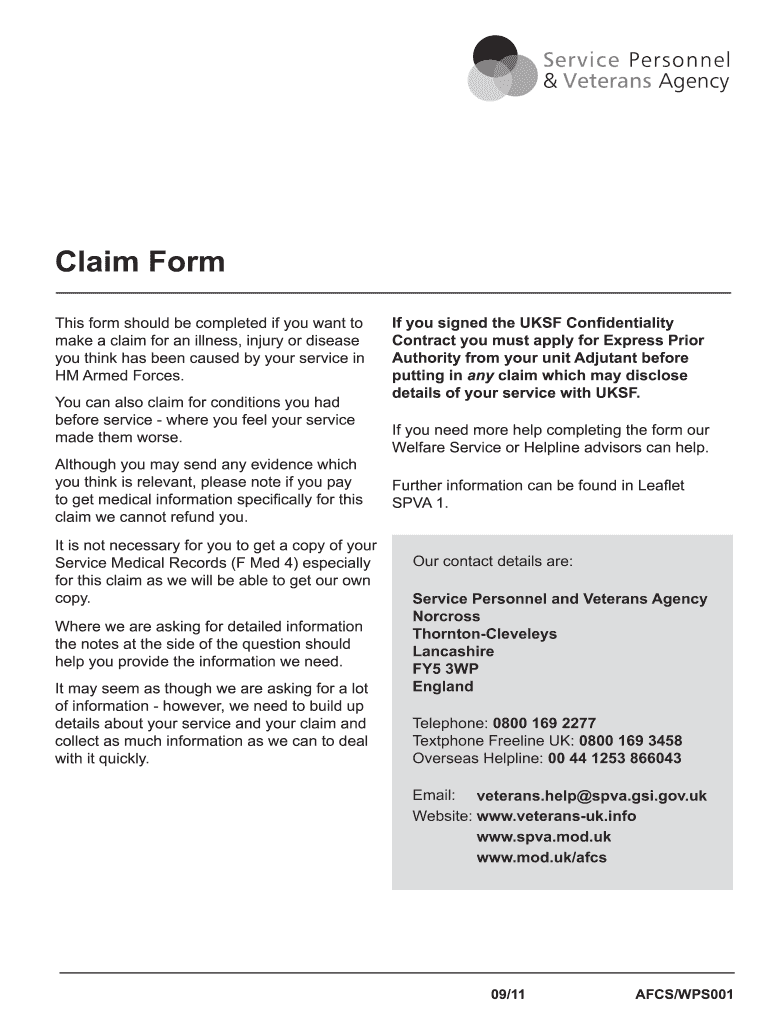
This guide provides clear and detailed instructions on how to fill out the UK AFCS/WPS001 online form for claims related to illnesses, injuries, or diseases caused by service in HM Armed Forces. Follow the steps carefully to ensure that your claim is complete and accurate.
Follow the steps to successfully complete the UK AFCS/WPS001 form.
- Click the 'Get Form' button to access the UK AFCS/WPS001 form and open it for editing.
- Fill in your personal details in Part 1. This includes your surname, title, contact address, telephone numbers, email address, date of birth, national insurance number, and information about your Armed Forces Pension Schemes.
- Proceed to Part 2 to enter your service details. Provide your name in service (if applicable), service number, branch, type, rank, enlistment, and discharge dates. Indicate if you served in the Gulf and state the reason for discharge if appropriate.
- In Part 3, detail the claim by describing the illness, injury, or disease you are claiming for, including the date it occurred, and any related incidents. Provide comprehensive information that supports your claim.
- Complete Part 4, detailing your medical treatment. Include the name and contact information of the medical practitioner, diagnosis, and any hospital treatment you received.
- Fill out Part 5 regarding any other compensation you have claimed or received. Specify the condition you claimed for, the outcomes, and any solicitor's details if applicable.
- If necessary, provide additional information in Part 6, helping to build your case. This may include details of other periods of service, effects of the condition, and any military decorations.
- In Part 7, list any benefits, allowances, or entitlements you have claimed or are receiving, and indicate if you claimed for Industrial Injury Disability Benefit.
- Complete Part 8 by providing your bank details for payment purposes once your claim is approved. Ensure all information is accurate for timely processing.
- Finally, review the final checklist to ensure all applicable sections are filled, all evidence is included, and sign the form before returning it in the provided envelope.
Submit your completed UK AFCS/WPS001 form online to ensure a smooth processing of your claim.
Experience a faster way to fill out and sign forms on the web. Access the most extensive library of templates available.
Related content
... FORM TYPE: 8-K SEC ACT: 1934 Act SEC FILE NUMBER: 001-38513 FILM NUMBER: ... Times...
Sep 13, 2013 · Programs. 01/24/2011 ... 02/25/2011 ... Data Bus Component with...
... Performance Format Wrapped Plans GCP data engineer GCP essentials hands-on GCP...
Get answers to your most pressing questions about US Legal Forms API.
How long does the armed forces compensation scheme take?
The duration for processing claims under the Armed Forces Compensation Scheme can vary widely. On average, you may expect your claim to take several months, depending on the complexity and the information provided. Staying informed about your claim, especially within the UK AFCS/WPS001 context, can help manage your expectations. For detailed tracking and support, using USLegalForms can be beneficial.
When can I claim my armed forces pension?
You can typically claim your armed forces pension when you reach the qualifying age or after a certain number of years in service. Ensure you have met all the criteria set out for your specific type of pension. This can include conditions related to injury or career length, relevant to UK AFCS/WPS001. For clarity on your situation, consult with experts and resources at USLegalForms.
How to fill out a visa for UK?
Filling out a UK visa application requires careful attention to detail. Start by selecting the correct visa category that applies to your purpose of visit. Complete the online application form, ensuring accuracy in your answers and providing necessary documents. Make sure your visa aligns with your plans; consider resources from USLegalForms for further assistance.
How do I claim my UK pension?
Claiming your UK pension involves contacting the pension provider for your application forms. You will need your personal information and records of your work history to complete the application accurately. Don't forget to check your eligibility and the specific benefits under the UK AFCS/WPS001 framework. For an easier process, USLegalForms can help streamline your UK pension claim.
How much is the Armed Forces compensation scheme?
The amount awarded under the Armed Forces Compensation Scheme varies based on the severity of injuries and impact on your daily life. Compensation can range from several thousand to millions of pounds, depending on the specifics of each case. Knowing the potential compensation under the UK AFCS/WPS001 can aid in understanding your entitlements. For personalized assistance, consider tools from USLegalForms.
How to claim armed forces compensation scheme?
To claim the Armed Forces Compensation Scheme, you must gather necessary documentation regarding your service and any injuries sustained. You then complete the application form specific to the UK AFCS/WPS001. Submitting these materials to the relevant authorities starts the process, ensuring your claim is assessed properly. Consider using resources from USLegalForms to navigate this process more smoothly.
How does military compensation work?
Military compensation comprises salary, benefits, and additional allowances. It is designed to support service members and their families during and after service. Packages can include compensation for injuries sustained while serving, which relates directly to the UK AFCS/WPS001 program. Understanding your military compensation can help you maximize available benefits.
What is the British Army service number example?
A British Army service number typically consists of a combination of letters and numbers. For example, a service number might appear as '23456789', symbolizing the individual soldier's unique identity within the military. This number is crucial for maintenance of records, payments, and benefits related to your service. Always keep this number accessible when dealing with military matters, including claims to programs like UK AFCS/WPS001.
When can I claim my UK military pension?
You can claim your UK military pension when you reach your official retirement age or if you have completed the minimum service duration. The timeline may vary based on your specific service conditions. It’s advisable to submit your claim as soon as you have reached eligibility. Resources like UK AFCS/WPS001 can help clarify any questions you might have about timing.
How do I contact the UK Army pension?
To contact the UK Army pension, you can reach out to the Army Pensions Centre via email or phone. They provide various services to help you with your pension queries. Visit their website for the most current contact details and resources. Use UK AFCS/WPS001 for additional assistance if needed.
Use professional pre-built templates to fill in and sign documents online faster. Get access to thousands of forms.
If you believe that this page should be taken down, please follow our DMCA take down process here.
This form is available in several versions. Select the version you need from the drop-down list below.