Loading
Get Personaltouchlacewigsorderform1.doc
How it works
-

Open form follow the instructions
-

Easily sign the form with your finger
-

Send filled & signed form or save
How to fill out the PersonalTouchLacewigsorderform1.doc online
Filling out the PersonalTouchLacewigsorderform1.doc is an essential step for placing your custom lace wig order. This guide provides clear, step-by-step instructions to help you complete the form online with ease.
Follow the steps to successfully complete your order form.
- Click the 'Get Form' button to access the order form and open it in your preferred editor.
- Enter the date at the top of the form; this will help with record-keeping.
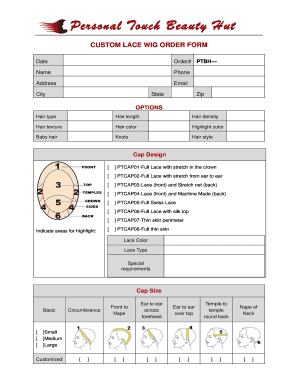
- In the options section, select the desired hair type, length, density, texture, color, and highlight color. You may also decide on the inclusion of baby hair and knots.
- Choose your preferred hair style and cap design from the provided options.
- Specify any areas for highlights by selecting from the checkboxes available for various cap options, such as full lace or lace with stretch.
- Select the lace color and type, and mention any special requirements you may have.
- Indicate your cap size by selecting either small, medium, or large, or by providing customized measurements for various circumferences.
- Once all fields are completed, review the information for accuracy, and then save any changes you made. You can download, print, or share the completed form as needed.
Complete your order form online today for a seamless wig purchasing experience.
Typically, you'll need to send your insurance company a prescription from your doctor for a cranial prosthesis or a hair prosthesis (with a cancer diagnosis code), the receipt for the wig (with the wig company's tax ID number), and a completed insurance claim form.