Loading
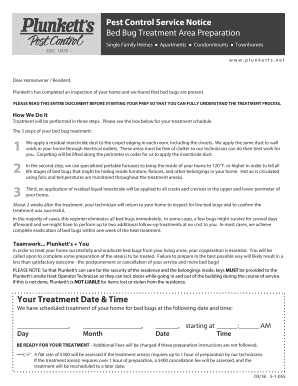
Get Pest Control Service Notice
How it works
-

Open form follow the instructions
-

Easily sign the form with your finger
-

Send filled & signed form or save
How to fill out the Pest Control Service Notice online
Filling out the Pest Control Service Notice online can streamline the process of preparing your home for bed bug treatment. This guide provides clear, detailed instructions to ensure that you complete the notice correctly and confidently.
Follow the steps to fill out the Pest Control Service Notice effectively.
- Click 'Get Form' button to access the Pest Control Service Notice. This will allow you to view and fill out the form in an online editor.
- Begin by entering your information in the designated fields. Provide your name, address, and contact details as requested to ensure proper identification for the service.
- Review the treatment details and scheduled date. Confirm that the information matches your records and adjust if necessary.
- Carefully read through the preparation instructions. Make note of any specific requirements you need to fulfill before the treatment, such as relocating furniture or preparing personal items.
- Complete the acknowledgment section, confirming your understanding of the instructions and your cooperation in the treatment process.
- Once all fields are filled and verified, save your changes. You may also choose to download or print the completed notice for your records.
- If required, share the completed notice with the relevant parties involved in the pest control service.
Complete your Pest Control Service Notice online for a smooth and effective bed bug treatment process.
It is highly recommended that you utilize a pest control service monthly or bi-monthly. This will allow you to keep spiders, silverfish, other insects, and rodents away from your home interior.