Loading
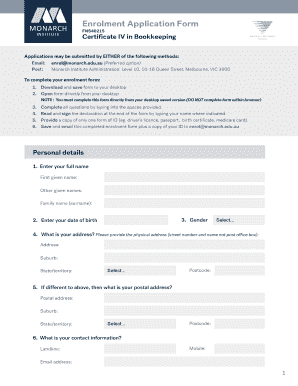
Get Enrolment Application Form - Monarch
How it works
-

Open form follow the instructions
-

Easily sign the form with your finger
-

Send filled & signed form or save
How to fill out the Enrolment Application Form - Monarch online
Completing the Enrolment Application Form for the Certificate IV in Bookkeeping with Monarch Institute is a straightforward process. This guide provides a step-by-step approach to ensure all necessary information is accurately submitted.
Follow the steps to fill out the application form correctly.
- Click 'Get Form' button to obtain the form and save it to your desktop.
- Open the downloaded form directly from your desktop, ensuring you complete it outside of the web browser.
- Fill in all required fields by typing your information into the spaces provided. Ensure accuracy in details like your full name, date of birth, and contact information.
- If applicable, indicate your recognition of prior learning or credit transfer by answering the specific questions related to previous education.
- Provide only one form of identification, such as a driver’s license, passport, or Medicare card, as instructed.
- Read the declaration at the end of the form carefully and type your name in the signature field to confirm your agreement.
- Finally, save the completed enrolment form along with your ID copy, then email both documents to enrol@monarch.edu.au.
Start filling out your Enrolment Application Form online today!