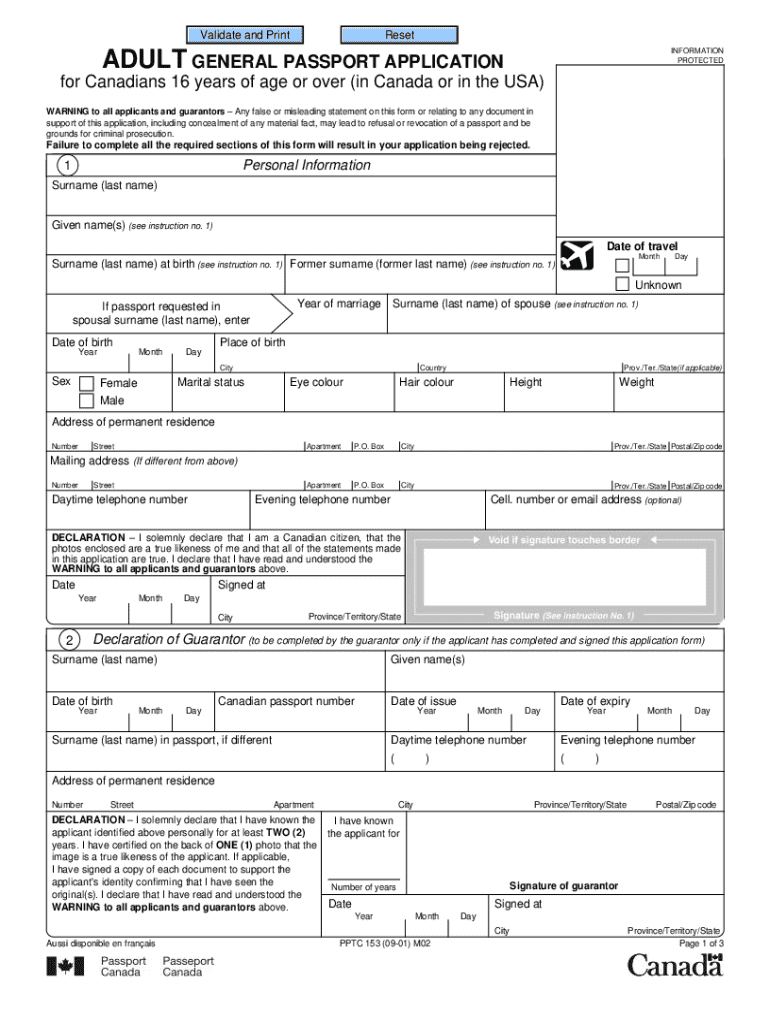
Ed sections of this form will result in your application being rejected. Entitlement to a Canadian Passport Applying in Person A Canadian passport is the only reliable and universally accepted travel and identification document for Canadians who travel abroad. Issued to Canadian citizens only, a Canadian passport reflects the identity of the applicant as determined by documentary evidence of citizenship and documents to support identity. Children under 16 years of age must have an individual .
Loading

Open form follow the instructions

Easily sign the form with your finger

Send filled & signed form or save
How to fill out the Canada PPTC 153 online
Applying for a Canadian passport is a crucial step for travel abroad. This guide provides a comprehensive, step-by-step approach to completing the Canada PPTC 153 form online efficiently and correctly.
Follow the steps to fill out the Canada PPTC 153 online.
- Click the ‘Get Form’ button to access the application form and open it in your editor.
- Fill in your personal information. Provide your name exactly as you want it to appear in your passport, including any previous surnames if necessary.
- Complete the declaration of your guarantor. Your guarantor must meet specific criteria, including being a Canadian citizen aged 18 or over.
- Indicate if you have a previous Canadian passport, providing information as required on the form.
- Submit proof of Canadian citizenship with your application. Ensure that you provide an original document, as copies are not accepted.
- Provide documents to support your identity. You must include at least one government-issued identification document that bears your name and signature.
- Follow the photo specifications for your passport photos. Two identical photos taken within the last 12 months must be submitted.
- Complete the areas regarding additional personal information, such as your addresses over the past two years, occupation, and references.
- Sign the application in all indicated places. Your signature will appear in your passport, so ensure it's consistent and meets the size requirements.
- Review all entries to confirm they are complete and accurate, then proceed to save your changes, download, print, or share the completed application form.
Begin completing your Canada PPTC 153 online application today for smooth processing of your passport.
Experience a faster way to fill out and sign forms on the web. Access the most extensive library of templates available.
Related content
Feb 27, 2025 — PPTC pipeline system, which enables NGL to be transported to ... agencies...
The document outlines the simplified application process for eligible Canadians seeking to...
Notice: The Industry Canada label identifies certified equipment. This certification means...
Get answers to your most pressing questions about US Legal Forms API.
Do we need to submit a passport for Canada biometrics?
Yes, you need to submit your passport for Canada biometrics as part of the application process. When applying with the Canada PPTC 153, biometrics may be required depending on your specific situation. Check the biometrics instruction in your application packet for details on how to proceed. This step is essential for ensuring your application is processed smoothly and efficiently.
What address do I send my passport application to?
The address to send your passport application depends on the particular Canada PPTC 153 form you are using. You can find the correct mailing address on the form itself or on the Government of Canada's website. It's important to follow the instructions closely to prevent any delays in processing. If unsure, services like uslegalforms can provide assistance with finding the right address.
Where to mail a Canadian passport application from the USA?
Mailing a Canadian passport application from the USA involves sending it to the specified address on the Canada PPTC 153 form. This address may vary depending on your location and the type of application you are submitting. Checking the Government of Canada's official website is crucial for the most accurate and updated information. This helps ensure your application reaches the right destination without any issues.
How to send a passport to Canada?
To send a passport to Canada, begin by completing the Canada PPTC 153 application form correctly. Once completed, package your passport and any required documents securely. Use a reliable postal service or courier to send your application to the designated Canadian address, ensuring you have tracking options for peace of mind. Lastly, consider using a service like uslegalforms to streamline your application process.
How do I submit my passport for Canada through VFS?
To submit your passport for Canada through VFS, you need to complete the Canada PPTC 153 application first. Then, book an appointment at your local VFS center to submit your application along with your passport. During your appointment, ensure you provide all necessary documents and fees. The VFS staff will guide you through the process, making it easier to navigate.
Where to mail a Canadian passport application from the US?
To mail a Canadian passport application from the US, you should send it to the appropriate address listed on the application form. Ensure that you use the correct Canada PPTC 153 form and complete it fully. Different mail options are available, including regular or express services, which may affect the processing time. Always check for the latest mailing instructions to avoid delays.
How to fill declaration card Canada?
To fill out the declaration card for Canada, gather all required personal and travel details before you start. Ensure you include your travel history and any relevant contacts. Clear instructions accompany the card, which allows for a smooth process when submitting, especially when considering the needs related to Canada PPTC 153.
How to fill EOI for Canada?
Filling out the Expression of Interest (EOI) for Canada is straightforward, but attention to detail is crucial. Begin by gathering necessary documents, including identification and financial statements. Follow the guidelines for Canada PPTC 153, ensuring all information is accurate and complete, which aids in a faster application process.
Can you get a child's passport without both parents?
It is possible to apply for a child's passport without both parents present, but conditions apply. For instance, if one parent is deceased or cannot be located, the application can proceed with the necessary legal documents, such as a death certificate or court order. The Canada PPTC 153 caters to these unique situations, ensuring smoother processing.
Can I get my child a passport without the father in Canada?
Yes, you can obtain a child's passport in Canada without the father's presence, provided you have the necessary documentation. The Canada PPTC 153 allows for cases where one parent cannot be present. You'll need to submit a signed consent form from the absent parent, or evidence of sole custody if applicable.
Use professional pre-built templates to fill in and sign documents online faster. Get access to thousands of forms.
If you believe that this page should be taken down, please follow our DMCA take down process here.
This form is available in several versions. Select the version you need from the drop-down list below.