Loading
Get Online Registration & Forms Athletics - Tukwila School District
How it works
-

Open form follow the instructions
-

Easily sign the form with your finger
-

Send filled & signed form or save
How to fill out the Online Registration & Forms Athletics - Tukwila School District online
Completing the Online Registration & Forms Athletics for the Tukwila School District is a straightforward process. This guide aims to provide you with step-by-step instructions to help ensure that your registration is submitted accurately and efficiently.
Follow the steps to complete your registration successfully.
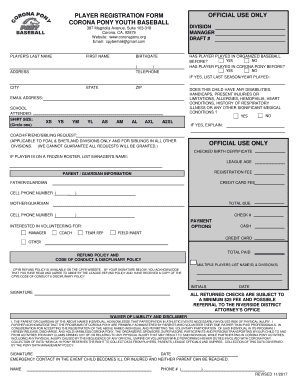
- Click ‘Get Form’ button to obtain the form and open it in the editor.
- Begin by filling in the player's last name and first name in the designated fields. Ensure that the names are spelled correctly.
- Enter the player's birthdate in the appropriate section. This is crucial as it determines the division for which the player qualifies.
- Complete the address section by filling in the street address, city, state, and zip code.
- Select the appropriate shirt size among the options provided.
- Fill in the parent or guardian information, including names and cell phone numbers. Ensure both parents or guardians are represented.
- Initials and signatures are required to acknowledge receipt of the refund policy and code of conduct.
- Review all the information for accuracy. Make any necessary changes before proceeding.
- Once all sections are completed and verified, save changes, download, print, or share the completed form as needed.
Complete your Online Registration & Forms Athletics today to ensure your place in the program!
Don't worry — you can still renew online using DMV's assisted online renewal process.