Loading
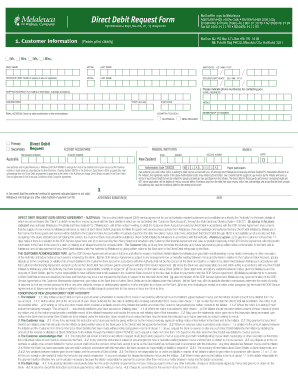
Get Direct Deposit Request Form - Cdntw.melaleuca.com
How it works
-

Open form follow the instructions
-

Easily sign the form with your finger
-

Send filled & signed form or save
How to fill out the Direct Deposit Request Form - Cdntw.melaleuca.com online
Filling out the Direct Deposit Request Form is essential for authorizing Melaleuca to debit funds from your account. This guide will provide step-by-step instructions to help users navigate the form easily and securely online.
Follow the steps to complete the Direct Deposit Request Form online.
- Click the ‘Get Form’ button to access the Direct Deposit Request Form and open it in your browser.
- Provide your customer information clearly. Fill in your first name, initial, and last name. Then, include your birth date in the format DD/MM/YYYY.
- If applicable, include your spouse's information by entering their first name, initial, last name, and birth date.
- Enter one or more phone numbers where you can be reached, along with your shipping address for receiving correspondence and products.
- Select whether your address is for home or business and fill in your suburb/town, state, and postcode.
- Provide your email address to receive your order confirmation and other communications.
- For the direct debit section, enter your Australian or New Zealand BSB (branch number), financial institution, account holder name, and account number.
- Review the authorization section and provide your signature(s) as required, along with the date of signing.
- Double-check all entered information for accuracy, then proceed to save changes, download a copy, print the form, or share it as necessary.
Complete your Direct Deposit Request Form online today for a seamless payment experience.