Loading
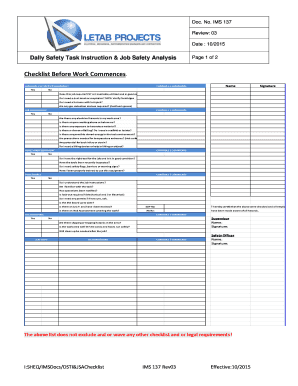
Get Daily Safety Task Instruction
How it works
-

Open form follow the instructions
-

Easily sign the form with your finger
-

Send filled & signed form or save
How to fill out the Daily Safety Task Instruction online
The Daily Safety Task Instruction is an essential online form designed to ensure workplace safety by guiding users through key safety checks. This guide provides detailed, step-by-step instructions for successfully completing the form with clarity and ease.
Follow the steps to fill out the Daily Safety Task Instruction.
- Press the ‘Get Form’ button to access the Daily Safety Task Instruction form and open it in your preferred online editing tool.
- Begin by assessing the section titled 'Personal Protective Equipment.' Indicate whether any personal protective equipment (PPE) is required for the job, ensuring it is available and in good condition. Check and comment accordingly.
- Next, move to the 'Job Environment' section. Answer the questions regarding potential hazards in your work area and note any environmental precautions that may be necessary. Use the comments field to provide additional context.
- In the 'Tools and Equipment' section, confirm that you possess the appropriate tools for the job and verify they are in proper working order. Document any inspections performed.
- Proceed to the 'Procedures' section. Ensure you understand the job instructions and indicate if any safety protocols, such as lockout/tagout procedures, are necessary for the task.
- Complete the 'Housekeeping' section by noting any potential slipping or tripping hazards in your work area. Document your comments related to cleanliness and safety measures.
- Fill out the 'Job Steps' and 'Hazards/Risks' section by listing job steps along with any identified risks. Provide comments for clarity.
- At the end of your shift, complete the 'Checklist – At End of Shift' section. Mark each item as 'Yes' or 'No' and provide necessary actions required. Include any incident reports as necessary.
- Finally, certify that all checks have been completed and sign the form along with the Safety Officer's name and signature where indicated. Save your changes, and share or print the document as required.
Complete your Daily Safety Task Instruction online today to enhance workplace safety!
Identify HazardsIdentify the hazard(s)Assess RisksAssess the riskImplement corrective action/precautionary measuresRemove the hazard/ riskControl the hazard/riskProvide PPE