Loading
Get Ps 515, F1
How it works
-

Open form follow the instructions
-

Easily sign the form with your finger
-

Send filled & signed form or save
How to fill out the PS 515, F1 online
This guide provides clear, step-by-step instructions on how to complete the PS 515, F1 school registration form online. By following these instructions, users of all backgrounds can successfully fill out the necessary information to ensure a smooth registration process.
Follow the steps to complete the PS 515, F1 form online.
- Click the ‘Get Form’ button to access the PS 515, F1 form and open it in the online editor.
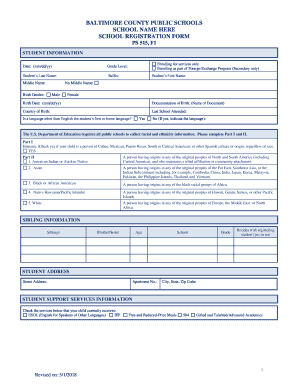
- Begin by entering the date in mm/dd/yy format. Next, specify the student's grade level and fill in the last name, suffix, middle name, and first name. Indicate if there is no middle name by checking the appropriate box.
- Fill in the birth gender by selecting either 'Male' or 'Female,' and provide the birth date in mm/dd/yy format. Follow this by documenting the type of birth documentation and stating the country of birth.
- Complete the section regarding the last school attended and answer if a language other than English is the student’s first or home language. If applicable, specify the language.
- Proceed to Part I and II for racial and ethnicity information. Select the appropriate checkboxes based on the student's ethnic background.
- In the sibling information section, list the names, ages, schools, grades, and whether each sibling resides with the registering student.
- Enter the student's address by specifying the street address, apartment number, city, state, and zip code.
- Provide details regarding the student support services the child currently receives by checking the relevant boxes.
- Fill in the application information, including the name and relationship of the person completing the form, and specify legal custody status.
- Provide primary and secondary guardian information, including phone numbers and email addresses, and indicate if the guardians are full-time active military.
- List emergency contacts and their relationships, ensuring to provide their telephone numbers.
- Review all entered information for accuracy. Once all sections are complete, save the changes, and you may choose to download, print, or share the form as needed.
Start completing the PS 515, F1 form online today to ensure timely registration for your student.
Proof of residency must be updated each time residency changes. The following documentation is required for enrollment from one of the following:* Deed, which may include mortgage coupon book, real estate tax bill, or title. Lease, which must include all pages and required signatures.