Loading
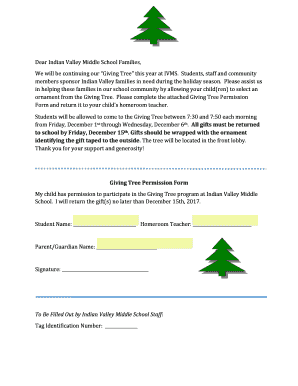
Get Giving Tree - Indian Valley Middle School
How it works
-

Open form follow the instructions
-

Easily sign the form with your finger
-

Send filled & signed form or save
How to fill out the Giving Tree - Indian Valley Middle School online
Participating in the Giving Tree program at Indian Valley Middle School is a meaningful way to support families in need during the holiday season. This guide provides clear instructions for completing the Giving Tree Permission Form online, ensuring a smooth and efficient process for all users.
Follow the steps to complete the Giving Tree Permission Form online.
- Click ‘Get Form’ button to obtain the Giving Tree Permission Form and open it in your preferred editor.
- Begin by locating the section for your child's name. Input your child's full name in the designated field labeled 'Student Name'.
- Next, find the field for your child’s homeroom teacher. Accurately enter the name of your child’s homeroom teacher in the corresponding section.
- Proceed to the section labeled 'Parent/Guardian Name'. Fill in the full name of the parent or guardian responsible for the student's participation.
- In the space marked 'Signature', the parent or guardian should provide their signature to indicate consent for their child to participate in the program.
- Check the box or section about returning gifts, ensuring you acknowledge that all gifts must be returned to school by the deadline of December 15.
- Finally, review all the information for accuracy. Once confirmed, save your changes, and proceed to either download, print, or share the filled-out form as needed.
Support families in need by completing the Giving Tree Permission Form online today!