Loading
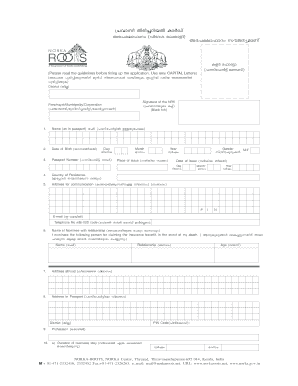
Get Nrk Id Card (correction).pmd - Norka-roots
How it works
-

Open form follow the instructions
-

Easily sign the form with your finger
-

Send filled & signed form or save
How to fill out the NRK ID Card (Correction).pmd - Norka-ROOTS online
This guide provides a clear and supportive approach to filling out the NRK ID Card correction form online. Following these detailed instructions will help ensure that your application is completed accurately and efficiently.
Follow the steps to complete the NRK ID Card correction form.
- Click the ‘Get Form’ button to access the form and open it in the editor.
- Enter your name as it appears on your passport in the designated field.
- Provide your date of birth by specifying the day, month, and year in the appropriate fields.
- Select your gender by marking the corresponding option (Male/Female).
- Input your passport number in the field labeled 'Passport Number' as per your actual document.
- Indicate the place where your passport was issued.
- Fill in the date of issue of your passport, using the day, month, and year fields.
- Specify your country of residence in the provided field.
- Enter your current address for communication, ensuring all details are complete.
- Provide your email address and telephone number, including the ISD code.
- Complete the nominee section with the name of the person you wish to nominate along with their relationship to you.
- Fill in the address abroad if applicable.
- Specify your profession in the designated field.
- Indicate the duration of your overseas stay if relevant.
- Provide your marital status by selecting the appropriate option.
- Complete the religion section and provide details of family members including parents as required.
- Read the declaration and sign the application, confirming that all details provided are true.
- After completing the form, you can save changes, download, print, or share your form.
Complete your NRK ID Card correction form online today to ensure your details are up-to-date.
Documents Needed Copies of front and address page of the passport. Copy of Visa Page/ Iqama/ Work Permit/ Residence Permit. College / University details for Pravasi Student ID Card. Photo and Signature of the applicant.