Loading
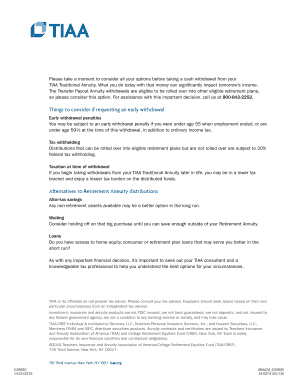
Get Tiaa - Cash Withdrawal Form
How it works
-

Open form follow the instructions
-

Easily sign the form with your finger
-

Send filled & signed form or save
How to fill out the TIAA - Cash Withdrawal Form online
Filling out the TIAA - Cash Withdrawal Form online can seem intimidating, but this guide is designed to make the process clear and straightforward. Follow the steps below to ensure your form is completed correctly and efficiently.
Follow the steps to fill out the TIAA - Cash Withdrawal Form
- Press the ‘Get Form’ button to acquire the form and open it in your document editor.
- In the first section, provide your personal information including your first name, middle initial, last name, social security number, and contact telephone number. Ensure accuracy to avoid processing delays.
- Next, input your contract numbers, including TIAA Number, Plan Number, and Sub Plan Number if available. If you do not have these, refer to your quarterly statement.
- Specify when you would like your annual transfers to begin by selecting a date. The first transfer will occur when the Transfer Payout Annuity contract is issued.
- Choose the amount to transfer from your TIAA Traditional account. You can select to transfer the entire amount or a partial amount by entering the desired dollar amount or percentage.
- Indicate where the annual withdrawals should be sent. Choose between direct deposit to your bank account, rollover to another TIAA account, rollover to another investment company, or receiving a check by mail.
- If opting for direct deposit, provide the necessary bank account details including your bank's name and account number. Ensure to include all required documentation like a voided check if this is a new account.
- Complete the employment status section, certifying whether you have separated from all employers that contributed to the plan. Provide the separation date if applicable.
- Sign and date the authorization section to confirm your request for withdrawal, ensuring compliance with all necessary certifications.
- If you are married, make sure your spouse completes the waiver section in front of a notary public, providing their signature and date.
- Once all sections are completed, review your form for accuracy, and save your changes appropriately. You can then download, print, or share the filled-out form as needed.
Get started now and complete your TIAA - Cash Withdrawal Form online with ease.
If your plan allows it, you can withdraw money online. If an online withdrawal is not an option, call us at 800-842-2252. Please be sure to contact us two to three months before you must receive your withdrawal to ensure you receive funds by the required deadline.