Loading
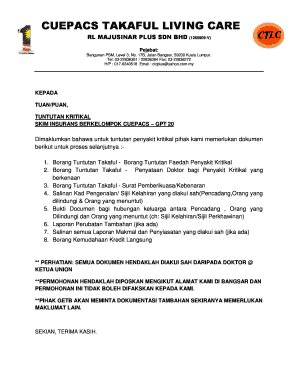
Get Cuepacs Living Care
How it works
-

Open form follow the instructions
-

Easily sign the form with your finger
-

Send filled & signed form or save
How to fill out the Cuepacs Living Care online
Filling out the Cuepacs Living Care form online can be a straightforward process when you follow the right steps. This guide aims to provide you with detailed, step-by-step instructions to ensure that you complete the form accurately and efficiently.
Follow the steps to successfully complete the Cuepacs Living Care online form.
- Press the ‘Get Form’ button to retrieve the Cuepacs Living Care form and open it in your chosen document editor.
- Provide your personal information in the relevant fields, including your full name, contact number, and current correspondence address. Ensure that all entries are accurate.
- Fill in details about the person covered under the insurance, including their name, occupation, and employer's information.
- Indicate if the person covered has any existing insurance certificates with other takaful operators. This will require additional details.
- In the claims section, describe the nature of the claim, including the symptoms that prompted medical consultation and the date of the first visit to a healthcare professional.
- List all medical consultations and treatments received in connection with your illness or condition. Be thorough and precise.
- Complete the payment mode section by indicating how you would prefer to receive your claims payment, choosing from options such as direct credit or mail.
- After filling out all necessary information, review the completed form to ensure accuracy. Make any necessary corrections.
- Save your changes and then proceed to download, print, or share the form as required by your situation.
Start completing your Cuepacs Living Care form online today to ensure a smooth claims process.