Loading
Get Bankruptcy Worksheet
How it works
-

Open form follow the instructions
-

Easily sign the form with your finger
-

Send filled & signed form or save
How to fill out the Bankruptcy Worksheet online
Filling out the Bankruptcy Worksheet online is an essential step in the bankruptcy process. This guide is designed to support you through each section of the form, ensuring you provide the necessary information accurately and efficiently.
Follow the steps to complete your Bankruptcy Worksheet online.
- Click 'Get Form' button to obtain the Bankruptcy Worksheet and open it for editing.
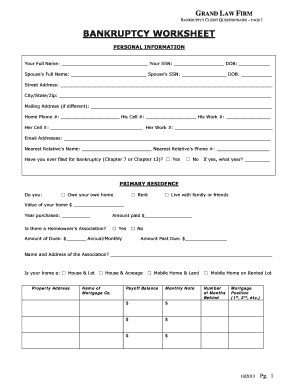
- Start with the personal information section. Fill in your full name, social security number, and date of birth. If applicable, include your spouse's information.
- Complete the address section. Provide your current home address and a mailing address if different.
- Indicate your contact numbers, including home phone, cell phones, and work numbers for both you and your spouse.
- List your email addresses and the name and phone number of your nearest relative for contact purposes.
- Answer whether you have previously filed for bankruptcy, specifying the year if applicable.
- In the primary residence section, select whether you own a home or rent. If you own, provide details such as the home's value and purchase year.
- If you have a homeowner’s association, note the dues and any past due amounts.
- List all other properties not included in your primary residence, detailing their addresses, values, mortgage companies, and balances.
- Next, list all vehicles you own, including details such as year, make, model, mileage, creditor, loan balance, and monthly payments.
- Provide information about any other secured loans you may have, detailing the property or collateral associated with those loans.
- In the assets section, check off household items, electronics, clothing, jewelry, and any retirement accounts or insurance policies that you own.
- List any additional assets and bank accounts, providing approximate balances and types of accounts.
- Describe all your debts comprehensively, including the creditor's name, amount owed, and type of debt.
- Fill out the taxes section indicating any outstanding tax returns, amounts owed, and whether you typically receive a tax refund.
- Complete the child support and alimony section, indicating any amounts owed and providing necessary documentation.
- Finish by signing the certification and, if applicable, providing your attorney's certification.
- Once all fields are completed accurately, save your changes, then download, print, or share the Bankruptcy Worksheet as needed.
Start completing your Bankruptcy Worksheet online today to take the first step towards financial relief.
Chapter 11, which is more expensive than Chapter 7, is typically intended for medium- to large-sized businesses, but smaller businesses and sole proprietors may also want to consider this type of bankruptcy. Unlike Chapter 7, Chapter 11 does not liquidate assets, only restructures debts.