Loading
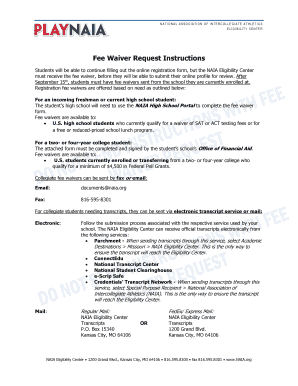
Get Naia Fee Waiver
How it works
-

Open form follow the instructions
-

Easily sign the form with your finger
-

Send filled & signed form or save
How to fill out the Naia Fee Waiver online
Filling out the Naia Fee Waiver is an essential step for students seeking financial assistance to register with the NAIA Eligibility Center. This guide provides clear, step-by-step instructions to help you efficiently complete the form online.
Follow the steps to successfully complete your Naia Fee Waiver request.
- Click ‘Get Form’ button to access the fee waiver request form and open it in your preferred online editor.
- Begin by entering your personal information in the Student Section. Include your name, date of birth, and NAIA Eligibility Center ID number in the designated fields.
- In the authorization section, provide your full name again, and sign the form to grant permission to release financial information to the NAIA Eligibility Center.
- Make sure to date your signature in the appropriate field to validate your authorization.
- Proceed to the Institution Section, where your school will fill out the fee waiver information. This includes the institution's name, the Federal Pell Grant amount you qualify for, and the academic year this applies to.
- A school official must then print their name and title, sign the form, and include the date to confirm the accuracy of the information provided.
- Once all sections are completed and verified, save your changes, and then download or print the finalized form.
- Submit the completed form by faxing or emailing it to the NAIA Eligibility Center as instructed in the guidelines.
Complete your Naia Fee Waiver request form online today to ensure a smooth registration process.
Registration fee waivers are available based on demonstrated need for U.S. students only. Fee waiver requests must be reviewed and approved by the NAIA Eligibility Center in order for the student to complete registration. The NAIA Eligibility Center fees are non-refundable.