Loading
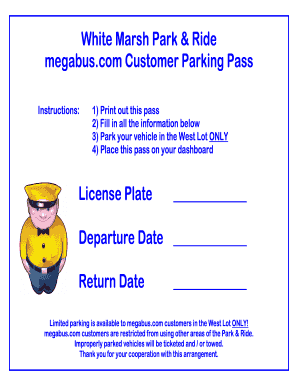
Get Megabus White Marsh Park & Ride Customer Parking Pass
How it works
-

Open form follow the instructions
-

Easily sign the form with your finger
-

Send filled & signed form or save
How to fill out the Megabus White Marsh Park & Ride Customer Parking Pass online
Filling out the Megabus White Marsh Park & Ride Customer Parking Pass online is a straightforward process. This guide provides step-by-step instructions for completing the form accurately to ensure your parking experience is seamless.
Follow the steps to complete your parking pass without any hassle.
- Click ‘Get Form’ button to obtain the form and open it in the editor.
- Begin by printing out the pass once it is opened. This is essential for physical display on your vehicle's dashboard.
- Fill in your vehicle's license plate number in the designated field.
- Next, input your departure date. Ensure you select the correct date for your parking needs.
- Also, indicate your return date on the specified line. This helps in managing the space efficiently.
- After completing all required fields, review the information for accuracy. This step is crucial to avoid any issues during your parking.
- Once you have confirmed all details are correct, you can save the changes made to the form, and then print the completed pass.
- Place the printed pass on your dashboard before parking your vehicle exclusively in the West Lot.
Complete your Megabus White Marsh Park & Ride Customer Parking Pass online today for an effortless parking experience.
Using one card for parking helps streamline your experience at the Megabus White Marsh Park & Ride. Ensure your Megabus White Marsh Park & Ride Customer Parking Pass is linked to your account. Simply scan your card upon arrival, and the system will recognize your details for quick and easy access.