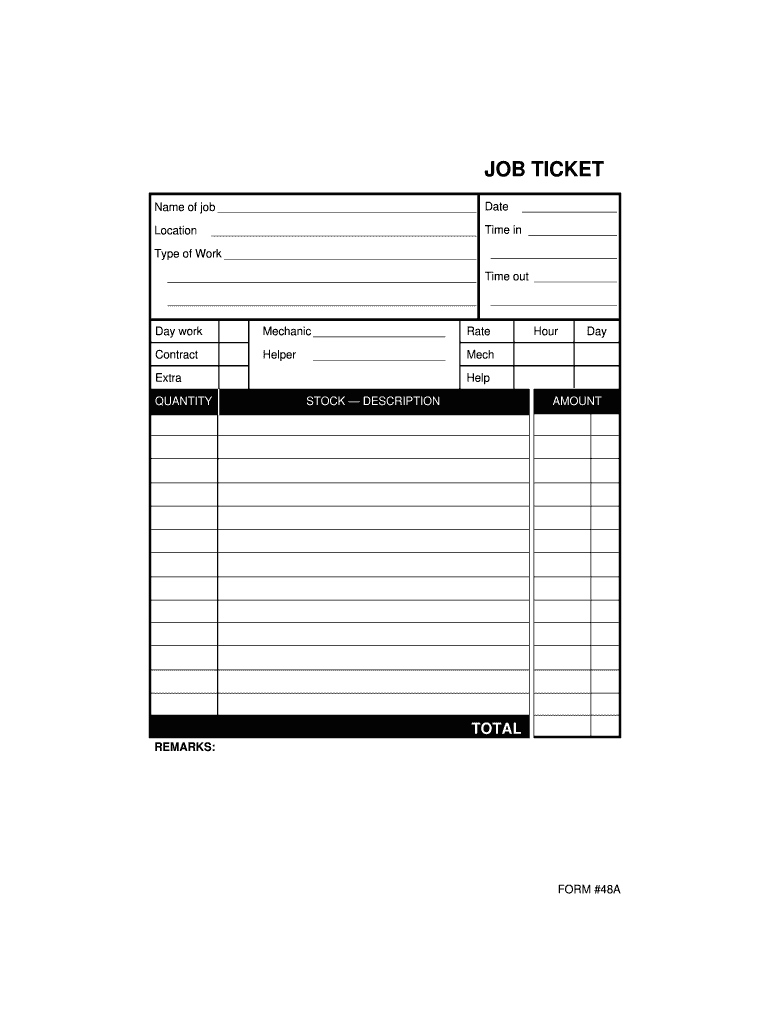
Page 1. FORM #48A. Day work. Mechanic. Rate. Hour. Day. Contract. Helper. Mech. Extra. Help. QUANTITY. STOCK DESCRIPTION. AMOUNT. TOTAL.
Loading

Open form follow the instructions

Easily sign the form with your finger

Send filled & signed form or save
How to fill out the Job Ticket online
This guide provides clear instructions for users on how to effectively complete the Job Ticket online. By following these steps, you can ensure that your submission is accurate and complete.
Follow the steps to accurately fill out your Job Ticket online.
- Click the ‘Get Form’ button to access the Job Ticket and open it in your preferred online form editor.
- Enter the date of the job in the designated field. This is important for record-keeping and scheduling purposes.
- Fill in the 'Time in' field with the exact time when work started. Be sure to use the correct format for clarity.
- Input the 'Time out' in the corresponding field, noting the moment work concluded.
- Specify the 'Name of job' to identify the task or project associated with this Job Ticket.
- Provide the location where the work is taking place in the designated field. This helps track job sites.
- Select the 'Type of Work' from the available options or describe the nature of the work if applicable.
- In the 'Remarks' section, include any additional information or notes pertinent to the job that may assist in the documentation.
- After completing all fields, review your entries for accuracy before proceeding to save your changes.
- Conclude by downloading, printing, or sharing the form as necessary to fulfill your submission requirements.
Start completing your Job Ticket online today to streamline your workflow.
Experience a faster way to fill out and sign forms on the web. Access the most extensive library of templates available.
Related content
an auxiliary printed form that may accompany a job order to a workshop to be used...
JOB TICKET INSTRUCTIONS. Below are some general instructions for filling out and...
With the web interface, you use a browser to access windows that enable you to select a...
Get answers to your most pressing questions about US Legal Forms API.
How are job tickets used within a printing company?
In a printing company, job tickets are crucial for tracking and managing print orders. These tickets provide detailed instructions regarding design specifications, print runs, materials, and timelines. By implementing job tickets, printing companies can streamline their processes, minimize errors, and improve overall productivity.
What is the format of XPIF?
XPIF, or eXtensible Print Interchange Format, is a structured format used for exchanging job ticket information. This format allows for consistency and clarity in the communication of print job specifications. By using XPIF, companies can integrate their workflows seamlessly, ensuring accurate data exchange across various printing systems.
What is a ticket job?
A ticket job typically refers to a job that is assigned based on a ticketing system in various industries. This system organizes tasks by creating tickets that detail job parameters and expectations. Leveraging a ticket job system can enhance efficiency by ensuring that all assignments are recorded and prioritized effectively.
What is a job time ticket?
A job time ticket is a specific type of job ticket that focuses on the time allocated for each task within a project. This document helps businesses monitor how long each job takes, aiding in project management and budget allocation. With a job time ticket, you can make informed decisions about resource management and scheduling.
What is a job ticket?
A job ticket is a critical tool for managing tasks within a project or work environment. It serves as a tracking mechanism, detailing job assignments, timelines, and any necessary resources. By utilizing a job ticket, businesses can improve workflow efficiency and maintain clear communication among team members.
What does 'job ticket' mean?
The term 'job ticket' refers to a document that outlines the specifics of a job or project. It includes information such as job requirements, materials needed, and the timeline for completion. A job ticket ensures everyone involved understands their roles, helping to facilitate effective collaboration and communication.
What are work tickets?
Work tickets are essential documents used to track tasks and jobs in various industries. They provide details about the work required, including descriptions, deadlines, and labor resources. Understanding the use of work tickets can streamline operations and enhance accountability within your organization.
What is a job ticket in Germany?
In Germany, a job ticket allows employees to use public transportation for commuting between their home and workplace seamlessly. This ticket can cover various modes of transport, like trains and buses, depending on the region and provider. Businesses that offer job tickets help make commuting more affordable and sustainable. If you're seeking more information or assistance regarding job tickets, platforms like UsLegalForms can provide valuable resources.
What is the employee ticket?
An employee ticket, often referred to as a job ticket, is a transport pass issued by an employer to facilitate employee commuting. This ticket covers the costs of public transport, making it an attractive perk for job seekers. By providing an employee ticket, businesses support sustainable commuting and help reduce the stress of travel. Such benefits can significantly enhance employee retention and satisfaction.
How does the city ticket work in Germany?
The city ticket is an extension of the job ticket, enabling users to travel freely within a designated city zone. When you possess a job ticket, you can often add a city ticket for easy access to local transport options. This integration provides seamless connectivity between your home and workplace. Many employees benefit from this arrangement, improving their daily commute.
Use professional pre-built templates to fill in and sign documents online faster. Get access to thousands of forms.
If you believe that this page should be taken down, please follow our DMCA take down process here.