Loading
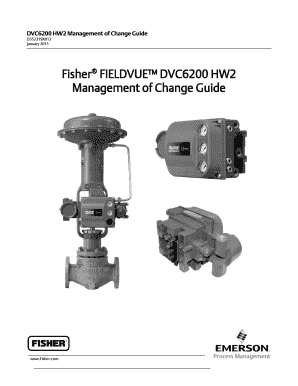
Get Dvc6200 Hw2
How it works
-

Open form follow the instructions
-

Easily sign the form with your finger
-

Send filled & signed form or save
How to fill out the DVC6200 HW2 online
This guide provides a step-by-step overview of how to fill out the DVC6200 HW2 form online. Designed for users with varying levels of experience, this guide aims to simplify the process and ensure a smooth completion of the form.
Follow the steps to complete the DVC6200 HW2 form online.
- Click the ‘Get Form’ button to access the DVC6200 HW2 form and open it in the designated editor.
- Review the background section on the DVC6200 series. This section provides essential information about the changes implemented in the electronic hardware and firmware of the device.
- Navigate to the 'Management of Change' section. Here, you need to answer any pertinent questions related to proposed modifications and their potential safety or process impacts.
- Complete the 'Common Management of Change Checklist.' Address each question thoroughly, selecting 'Yes' or 'No' based on your situation. Make sure your responses accurately reflect the proposed changes.
- If applicable, compare the changes between the DVC6200 HW1 and HW2 instruments as outlined in the 'Instrument Comparison' section. This may influence your responses in the change management section.
- Fill out the 'Transition Design Comparison' section if required. This section addresses specific parameters and should reflect the accurate status of your device.
- Once all sections are filled out, review your entries for accuracy and completeness. It may be helpful to have another individual check the information.
- After confirming that all information is correct, save your changes. You can then choose to download, print, or share the completed form according to your needs.
Complete your documents online to streamline your process and ensure efficiency.
Steps to Calibrate a DVC6200 Controller Hook up a HART® communicator to the DVC6200 in parallel with a 4-20 mA loop across the “loop” terminals. Apply a 4 mA signal to the DVC and power up the HART communicator. First, put the instrument in “not in service” mode. ... Choose “not in service” and press enter.
Industry-leading security and compliance
US Legal Forms protects your data by complying with industry-specific security standards.
-
In businnes since 199725+ years providing professional legal documents.
-
Accredited businessGuarantees that a business meets BBB accreditation standards in the US and Canada.
-
Secured by BraintreeValidated Level 1 PCI DSS compliant payment gateway that accepts most major credit and debit card brands from across the globe.