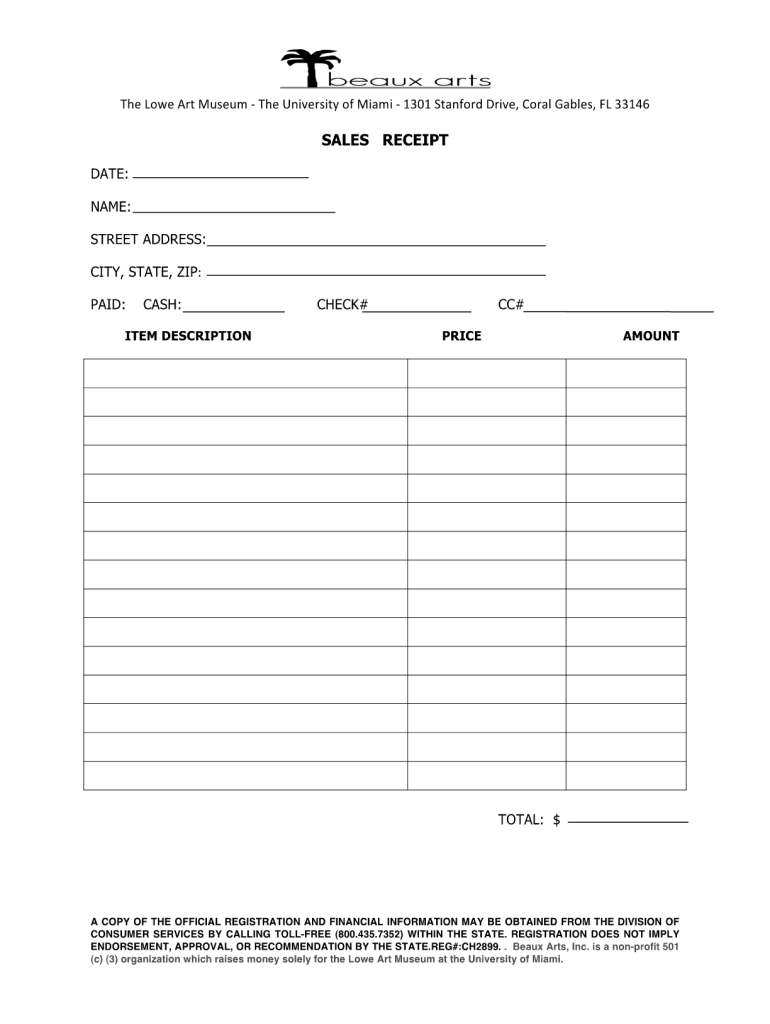
TheLoweArtMuseumTheUniversityofMiami1301StanfordDrive,CoralGables,FL33146 SALES RECEIPT DATE: NAME: STREET ADDRESS: CITY, STATE, ZIP: PAID: CASH: CHECK# PRICE CC# AMOUNT ITEM DESCRIPTION TOTAL: $.

Open form follow the instructions

Easily sign the form with your finger

Send filled & signed form or save
How to fill out the Beaux Arts Sales Receipt online
The Beaux Arts Sales Receipt is an essential document for recording sales transactions professionally. This guide provides clear, step-by-step instructions to help users fill out the form accurately and efficiently.
Follow the steps to complete your Beaux Arts Sales Receipt.
- Click the ‘Get Form’ button to access the Beaux Arts Sales Receipt. This action will allow you to open the form in the editor for further completion.
- Review the header section of the form and enter the date of the sale. Ensure this information is accurate, as it is a crucial element of the transaction record.
- In the buyer's information section, provide the name and contact details of the person purchasing the goods or services. This information helps maintain clear communication and record-keeping.
- Next, in the item description section, list all items sold. Include the quantity, price per unit, and any applicable discounts. Make sure the calculations are precise to ensure accuracy in the final total.
- Calculate the subtotal of the items listed. This value should reflect the sum of all items before tax and any additional fees.
- Enter any applicable sales tax in the designated field. Ensure you check the correct tax rate for your location to comply with legal requirements.
- Calculate the final total by adding the subtotal and the sales tax. Double-check your calculations to avoid errors that could lead to discrepancies.
- Sign the form in the seller's signature section to confirm that the transaction has been authorized. This step finalizes the document and adds legal validity.
- Once all fields are completed, save your changes, and you can download, print, or share the Beaux Arts Sales Receipt as needed.
Complete your Beaux Arts Sales Receipt online today for smooth transaction management.
Experience a faster way to fill out and sign forms on the web. Access the most extensive library of templates available.
Related content
The owner or the owner's agent may apply for a building permit by submitting this form...
This series contains exhibition records, a list of artwork, and receipts and contracts...
by M Serck-Dewaide · Cited by 8 — Annuaire des Musées Royaux des Beaux-Arts de...
Get answers to your most pressing questions about US Legal Forms API.
How do I report art sales?
Reporting art sales involves documenting sales prices and buyer details accurately. You should aggregate this information for tax purposes, ensuring you maintain a comprehensive overview for your records. A Beaux Arts Sales Receipt can facilitate this process by providing an organized template for each sale. Good reporting practices help you stay compliant with financial regulations.
How much do artists make off record sales?
Artists often make a percentage of the revenue from record sales, which can vary widely depending on the agreement with record labels. With the right strategy, artists can leverage sales opportunities effectively. A Beaux Arts Sales Receipt can help artists document their sales for better financial management and future planning. Understanding your earnings helps you navigate your career.
How to keep track of art sales?
Keeping track of art sales is essential for any artist. Utilizing a Beaux Arts Sales Receipt can help you document each transaction clearly. You can use spreadsheets or accounting software to log sales data, ensuring you have accurate records for reporting and tax purposes. Consistent documentation will simplify your financial management.
How to fill out a sales order receipt book?
To fill out a sales order receipt book, begin by entering the current date, followed by the details of each sale. Each entry should contain a clear description of the items sold, quantities, and their respective prices. A structured Beaux Arts Sales Receipt will enhance your organization, making it easier to track sales history.
How do I send an invoice receipt?
Sending an invoice receipt requires a few simple steps. Create a Beaux Arts Sales Receipt to confirm the transaction and include the invoice details. Send it via email or a secure file-sharing service to the relevant parties, ensuring that you follow up to confirm receipt. Our platform can simplify this process, allowing for quick and secure delivery.
How do I make an invoice to receive payment?
Creating an invoice to receive payment is essential for clear communication. Start by using a Beaux Arts Sales Receipt as a basis, including relevant transaction information. Specify the total amount due, payment methods accepted, and set a due date. You can find helpful resources on our platform that guide you through creating effective invoices.
How do I make a receipt invoice?
To create a receipt invoice, combine elements of both documents. Start with a Beaux Arts Sales Receipt template, and add invoice-specific details such as payment terms and due dates. This way, you establish a clear expectation for payment while providing proof of the transaction. Our platform offers customizable templates to facilitate this process effectively.
How do I invoice a receipt?
To invoice a receipt, simply create a formal document that includes the details found on the Beaux Arts Sales Receipt. Ensure you incorporate key information such as item descriptions, quantities, prices, and payment instructions. This process clarifies the transaction, making it easy for both you and your client. For detailed templates, our platform can be a helpful resource.
Can a receipt be used as an invoice?
Yes, you can use a receipt as an invoice. A Beaux Arts Sales Receipt can serve both purposes, as it provides proof of payment and details about the transaction. However, invoices typically include specific payment terms and are used to request payment for goods or services. If you need a structured invoice, consider using our platform for a complete solution.
Which is also known as Beaux Arts style?
Also known as Beaux-Arts Classicism, Academic Classicism, or Classical Revival, Beaux Arts is a late and eclectic form of Neoclassicism. It combines classical architecture from ancient Greece and Rome with Renaissance ideas. Beaux-Arts architecture became part of the late 19th century American Renaissance movement.
Use professional pre-built templates to fill in and sign documents online faster. Get access to thousands of forms.
If you believe that this page should be taken down, please follow our DMCA take down process here.