Loading
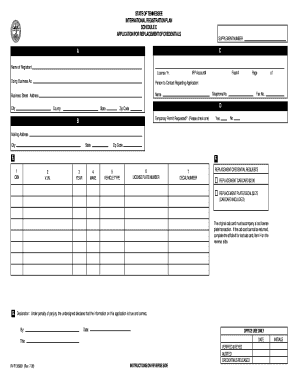
Get Tn International Registration Plan 2008
How it works
-

Open form follow the instructions
-

Easily sign the form with your finger
-

Send filled & signed form or save
How to fill out the TN International Registration Plan online
Filling out the TN International Registration Plan online can seem daunting, but it is a straightforward process. This guide will walk you through each step to complete the application efficiently and accurately.
Follow the steps to fill out the TN International Registration Plan online successfully.
- Click ‘Get Form’ button to obtain the form and open it in the editor.
- In Item A, provide the name of the registrant along with the license year and IRP account number.
- Fill in the 'Doing Business As' section with the business name if applicable.
- Complete the contact information for the person regarding the application, including their business street address, city, county, state, fax number, and telephone number.
- In Item D, indicate whether a temporary permit is requested by checking the appropriate box.
- For Item E, ensure that all columns are completed as follows: Column 1 requires the assigned owner equipment number; Column 2 needs the complete vehicle identification number; Column 3 asks for the year of the vehicle; Column 4 requires the make of the vehicle; Column 5 needs the vehicle type; Column 6 asks for the license plate number; and Column 7 requires the decal number.
- In Item F, place an X in the appropriate box for the replacement credentials requests.
- In Item G, the declaration must include the signature, date, and title of the preparer.
- If applicable, complete Item H regarding the affidavit for a lost cab card, listing the owner equipment numbers, makes, and years of the vehicles associated with lost cab cards.
- Once all sections are accurately filled out, you may save your changes, download, print, or share the completed form as needed.
Complete your TN International Registration Plan online today to streamline your vehicle registration process.
Get form
Experience a faster way to fill out and sign forms on the web. Access the most extensive library of templates available.
Related links form
To obtain a cab card under the TN International Registration Plan, you first need to register your vehicle appropriately. After successful registration, the IRP will issue a cab card, which contains crucial information about your truck and its operating jurisdictions. You can often receive your cab card through the IRP portal or by following the instructions provided by your local registration office.
Get This Form Now!
Use professional pre-built templates to fill in and sign documents online faster. Get access to thousands of forms.