Loading
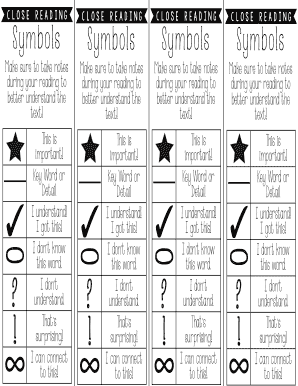
Get S Y M B Ols
How it works
-

Open form follow the instructions
-

Easily sign the form with your finger
-

Send filled & signed form or save
How to fill out the S Y M B Ols online
Filling out the S Y M B Ols online can enhance your document management process. This guide will provide step-by-step instructions to help you navigate each section of the form effectively.
Follow the steps to complete the S Y M B Ols form correctly.
- Press the ‘Get Form’ button to acquire the form and display it in the editor.
- Begin by filling in your personal details where required. This may include fields for your name, contact information, and any unique identifiers.
- Review each section carefully, noting areas where you need to provide additional information. This can include explanations or clarifications relevant to the document.
- Make sure to highlight or document key words or details in the designated fields, ensuring all essential information is captured.
- Address any prompts indicating lack of understanding by providing explanations or asking for assistance if necessary.
- Once you have completed all sections and verified the information, save your changes. You can also choose to download, print, or share the completed form for your records.
Start filing your S Y M B Ols online today for a smoother document management experience!
The definition of a text symbol is a graphic or symbol made with the keys on a keyboard. An example of a text symbol is the heart symbol which is made by pressing "Alt" and the number "3" on an enabled numeric key pad. YourDictionary.
Industry-leading security and compliance
US Legal Forms protects your data by complying with industry-specific security standards.
-
In businnes since 199725+ years providing professional legal documents.
-
Accredited businessGuarantees that a business meets BBB accreditation standards in the US and Canada.
-
Secured by BraintreeValidated Level 1 PCI DSS compliant payment gateway that accepts most major credit and debit card brands from across the globe.