Loading
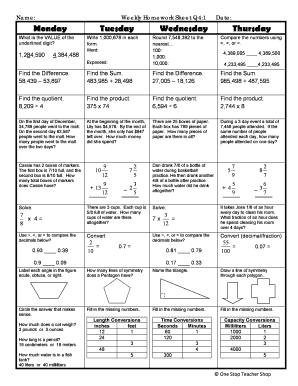
Get Weekly Homework Sheet Q4 1
How it works
-

Open form follow the instructions
-

Easily sign the form with your finger
-

Send filled & signed form or save
How to fill out the Weekly Homework Sheet Q4 1 online
The Weekly Homework Sheet Q4 1 is designed to help users organize their weekly assignments and track their progress in a structured manner. This guide will provide clear, step-by-step instructions to ensure you successfully complete the form online.
Follow the steps to fill out the Weekly Homework Sheet Q4 1 online.
- Click the 'Get Form' button to obtain the Weekly Homework Sheet Q4 1 and open it with your preferred editor.
- Begin by entering the date at the top of the form where indicated. This helps to contextualize your assignments for the week.
- Proceed to the section for each day of the week (Monday, Tuesday, Wednesday, Thursday) and fill in the required information for each day. This may include listing assignments, answering questions, or noting progress.
- In the 'My Progress' section, record the number of questions answered and the number of correct answers for each day. This will help you track your learning.
- Complete the open fields where you may indicate areas where you need more help or additional explanations. This allows for better communication of challenges you face.
- Review the entire form for accuracy to ensure all you have filled in matches your assignments and progress.
- After completing the form, you can save your changes, download the completed form as a PDF, print it for a physical copy, or share it with others as needed.
Start filling out your Weekly Homework Sheet Q4 1 online today for better organization and progress tracking!