Loading
Get Uae Exchange & Finance Ltd
How it works
-

Open form follow the instructions
-

Easily sign the form with your finger
-

Send filled & signed form or save
How to fill out the UAE Exchange & Finance Ltd online
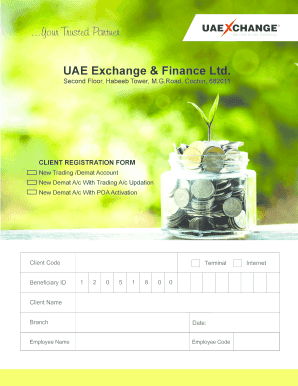
This guide provides a comprehensive overview of how to complete the UAE Exchange & Finance Ltd client registration form online. Whether you are opening a new trading or demat account, or updating existing information, the following steps will help you navigate the process with ease.
Follow the steps to complete the form effectively
- Click ‘Get Form’ button to obtain the form and open it in the editor.
- Begin filling out the personal details. Ensure that your name matches the documents provided. Provide your date of birth in the DD-MM-YYYY format.
- Enter your permanent address. If your correspondence address is different, fill in that section too. Attach one of the accepted proof of address documents to validate your claims.
- Fill in your contact details, including at least one mobile number and email. Make sure to provide accurate information to avoid any correspondence issues.
- Complete the KYC information section, including whether you or any stakeholders are Politically Exposed Persons (PEPs). Provide related person details if applicable.
- For joint holders or additional account signatories, repeat steps 2 to 5 as necessary. Ensure each individual provides their personal details and signatures where required.
- Review all information entered in the form for accuracy before proceeding to submission. Make necessary corrections if required.
- After filling the required fields and uploading documentation, users can save changes, download, or print the completed form. Be sure to keep a copy for personal records.
Complete your documents online with ease following this guide.
UAE Exchange is now Unimoni, giving you the same excellent financial services with even more to offer.