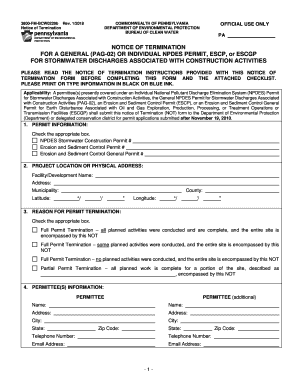
Get 3800-fm-bcw0229b Rev
How it works
-

Open form follow the instructions
-

Easily sign the form with your finger
-

Send filled & signed form or save
How to fill out the 3800-FM-BCW0229b Rev online
Filling out the 3800-FM-BCW0229b Rev form, also known as the Notice of Termination, is an important step in the process of concluding your permit for stormwater discharges related to construction activities. This guide provides clear, step-by-step instructions to assist users in accurately completing the form online.
Follow the steps to successfully complete the Notice of Termination form.
- Press the ‘Get Form’ button to obtain the form and access it in your editor.
- Begin by reviewing the 'Permit Information' section, where you will select the appropriate box corresponding to your permit type: NPDES Stormwater Construction Permit, Erosion and Sediment Control Permit, or Erosion and Sediment Control General Permit.
- In the 'Project Location or Physical Address' section, provide the facility or development name, complete address, municipality, latitude, and longitude.
- Navigate to 'Reason for Permit Termination' and select the appropriate box for the status of your permit termination: full or partial based on your activities conducted.
- Complete the 'Permittee(s) Information' section by entering the names, addresses, contact details, and email addresses for all permittees involved.
- Fill in the 'Final Certification of Licensed Professional' section if applicable. The licensed professional must certify that the record drawings accurately reflect as-built conditions and are compliant with regulations.
- Proceed to the 'Long-Term Operation and Maintenance and Restoration/Reclamation' section. Select the applicable checkbox regarding the installation and maintenance of Best Management Practices (BMPs).
- Complete the 'Proof of Instrument Filing with the Recorder of Deeds Office' section to indicate if the project is located on Commonwealth or federally-owned property and certify the recording of necessary documents.
- In 'Permit Termination Certification', provide the name and signature of the person completing this section, affirming compliance with regulations.
- Review the 'Appendices A, B, and C' to ensure all required documentation and signatures are included as necessary for the completion of your application.
- Once all sections are accurately completed, save your changes, and download or print the form for your records or further submission.
Complete the necessary documents online to ensure compliance and successful permit termination.
Act 14, which amended the Commonwealth's Administrative Code (effective April 17, 1984) requires every applicant for a new, amended, or renewed NPDES permit to give written notice to each municipality and county in which the facility is located. NPDES and WQM Permitting Programs - Pennsylvania DEP pa.gov https://.dep.pa.gov › WastewaterMgmt › Pages › N... pa.gov https://.dep.pa.gov › WastewaterMgmt › Pages › N...
Industry-leading security and compliance
-
In businnes since 199725+ years providing professional legal documents.
-
Accredited businessGuarantees that a business meets BBB accreditation standards in the US and Canada.
-
Secured by BraintreeValidated Level 1 PCI DSS compliant payment gateway that accepts most major credit and debit card brands from across the globe.