Loading
Get 770es
How it works
-

Open form follow the instructions
-

Easily sign the form with your finger
-

Send filled & signed form or save
How to fill out the 770es online
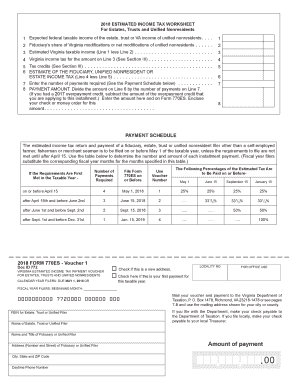
Filling out Form 770ES, the estimated income tax payment voucher for estates, trusts, and unified nonresidents, is essential for compliance with Virginia tax regulations. This guide offers a straightforward approach to completing the form online, ensuring that you meet your tax obligations effectively.
Follow the steps to complete the 770es online.
- Press the 'Get Form' button to acquire the form and open it in the online editor.
- Enter the Federal Employer Identification Number (FEIN) for the estate, trust, or unified filer instead of a Social Security Number. If the FEIN is not yet available, indicate 'Applied for'.
- Provide the name of the estate, trust, or unified filer along with the contact details of the fiduciary or unified filer.
- Indicate the amount of the payment due, ensuring it corresponds to the calculated estimated income tax based on your anticipated tax liability.
- Select the appropriate voucher number based on the payment schedule applicable to your situation.
- Review all information entered to ensure accuracy. Save changes prior to final submission.
- Once completed, you can proceed to save the form, download it for your records, print it for mailing if necessary, or share electronically.
Complete your tax documents online today to ensure timely submission and compliance.
From the Commissioner of the Revenue: The 2023 Virginia General Assembly passed a law to issue 2022 state income tax refunds of $200 per single taxpayer or $400 for married taxpayers filing a joint return. If you filed your return by 7/1/23 then your refund will be issued by 11/30/23.