Loading
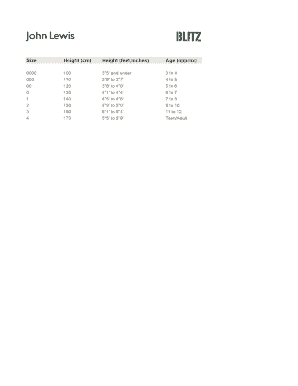
Get Height (feet,inches)
How it works
-

Open form follow the instructions
-

Easily sign the form with your finger
-

Send filled & signed form or save
How to fill out the Height (feet, inches) online
Filling out the Height (feet, inches) form is essential for accurate documentation. This guide provides comprehensive instructions to ensure you can easily and correctly submit your height information.
Follow the steps to accurately fill out the height section online.
- Select the ‘Get Form’ button to access the form and display it for completion.
- Locate the section labeled 'Height (feet, inches)'. Here, you will input your height using feet and inches. For example, if you are 5 feet 8 inches tall, you would enter '5' in the feet field and '8' in the inches field.
- To ensure accuracy, refer to the height scale provided, which categorizes heights to help you confirm your measurements.
- Review your entries for any errors. Make sure the feet and inches are correctly filled out according to your actual height.
- Once you verify that all information is correct, proceed to save your changes. You may also download, print, or share the completed form for your records.
Complete your documents online today for easy management of your information.
5 feet 5 inches in cm = [(5×12)+5] x 2.54 = 65 x 2.54 = 165.1 cm. 5 feet 6 inches in cm = [(5×12)+6] x 2.54 = 66 x 2.54 = 167.64 cm. 5 feet 7 inches in cm = [(5×12)+7] x 2.54 = 67 x 2.54 = 170.18 cm.