Loading
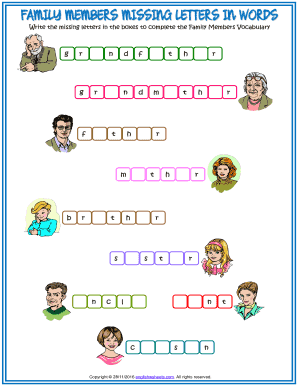
Get Family Members Missing Letters In Words
How it works
-

Open form follow the instructions
-

Easily sign the form with your finger
-

Send filled & signed form or save
How to fill out the family members missing letters in words online
This guide provides step-by-step instructions on how to complete the family members missing letters in words form online. Users can easily fill in the missing letters to enhance their vocabulary related to family terminology.
Follow the steps to complete the form successfully.
- Click ‘Get Form’ button to access the family members missing letters in words form and open it in an editable format.
- Begin filling out the form by locating the boxes provided for each missing letter. Each box corresponds to a specific family member-related word, requiring you to identify and input the correct letter.
- Continue reviewing the list until all boxes are filled with their respective letters, ensuring that each word related to family members is complete.
- Once all letters are entered, take a moment to review your work for accuracy and completeness before finalizing the form.
- After confirming that all information is correct, you may now save your changes, download the completed form, or print it for your records. Alternatively, consider sharing the document if necessary.
Start filling out your form online today to enhance your vocabulary!
To request a search for your missing mailpiece, go to MissingMail.USPS.com and sign in or register. Complete your search request form by providing all the required information and select submit.