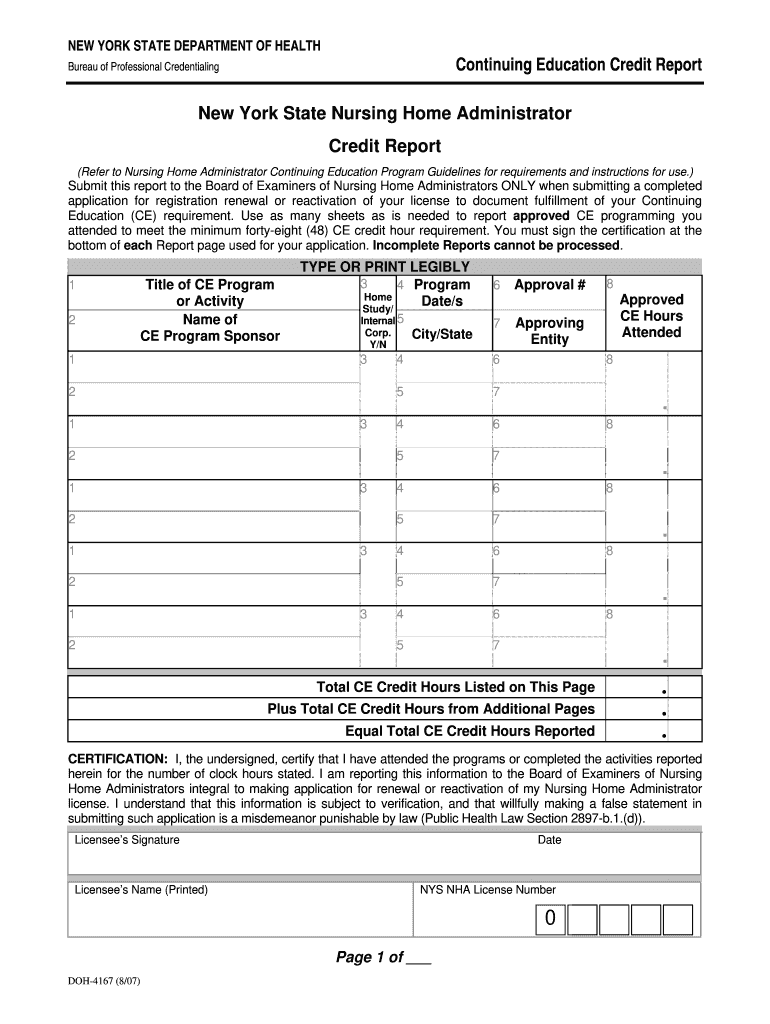
Ense Number 0 COPY THIS PAGE AS NECESSARY Page ___ of ___ DOH-4167 (8/07) .

Open form follow the instructions

Easily sign the form with your finger

Send filled & signed form or save
How to fill out and sign NY DOH-4167 online?
Get your online template and fill it in using progressive features. Enjoy smart fillable fields and interactivity.Follow the simple instructions below:
The era of dealing with perplexing legal and taxation paperwork is over. With US Legal Forms, the whole experience of filling out official forms is stress-free. An impressive editor is readily available, providing you with a diverse range of helpful tools for completing a NY DOH-4167. These suggestions, along with the editor, will assist you throughout the process.
There are various methods to receive the document: as an instant download, as an email attachment, or through standard mail as a physical copy. We make completing any NY DOH-4167 quicker. Start now!
- Select the orange Get Form button to begin editing.
- Activate the Wizard mode in the upper toolbar to receive additional guidance.
- Complete each fillable section.
- Ensure that the information you enter in the NY DOH-4167 is accurate and up to date.
- Use the Date feature to indicate the date on the form.
- Press the Sign button to create an electronic signature. You will have three choices: typing, drawing, or uploading one.
- Confirm that every field is filled in correctly.
- Click Done in the top right corner to save and send or download the document.
Tips on how to fill out, edit and sign NY DOH-4167 online
How to fill and sign NY DOH-4167
Get your online template and fill it in using progressive features. Enjoy smart fillable fields and interactivity.Follow the simple instructions below:
The era of dealing with perplexing legal and taxation paperwork is over. With US Legal Forms, the whole experience of filling out official forms is stress-free. An impressive editor is readily available, providing you with a diverse range of helpful tools for completing a NY DOH-4167. These suggestions, along with the editor, will assist you throughout the process.
There are various methods to receive the document: as an instant download, as an email attachment, or through standard mail as a physical copy. We make completing any NY DOH-4167 quicker. Start now!
- Select the orange Get Form button to begin editing.
- Activate the Wizard mode in the upper toolbar to receive additional guidance.
- Complete each fillable section.
- Ensure that the information you enter in the NY DOH-4167 is accurate and up to date.
- Use the Date feature to indicate the date on the form.
- Press the Sign button to create an electronic signature. You will have three choices: typing, drawing, or uploading one.
- Confirm that every field is filled in correctly.
- Click Done in the top right corner to save and send or download the document.
How to edit NY DOH-4167
How to Revise Get NY DOH-4167 2007: Personalize Forms Online
Eliminate the clutter in your documentation routine. Uncover the most efficient method to locate, amend, and submit a Get NY DOH-4167 2007.
The task of preparing Get NY DOH-4167 2007 demands precision and concentration, particularly from individuals who are not well-versed in this type of work. It's essential to identify an appropriate template and fill it out with the accurate details. With the right tools for managing documents, you can have everything you need at your fingertips.
It is straightforward to optimize your editing experience without acquiring extra skills. Find the correct version of Get NY DOH-4167 2007 and complete it immediately without toggling between your web browser tabs.
Explore additional tools to modify your Get NY DOH-4167 2007 form in the editing mode.
Experiment with more tools to tailor your form: Incorporate additional text into the document if required. Use the Text and Text Box tools to add text in a distinct box. Integrate pre-designed graphic elements like Circle, Cross, and Check with the respective tools. If necessary, capture or upload images to the document using the Image tool. If you wish to illustrate something in the document, use Line, Arrow, and Draw tools. Use the Highlight, Erase, and Blackout tools to modify the text in the document. If you need to annotate specific sections of the document, click on the Sticky tool and place a note where needed. Occasionally, a minor mistake can compromise the entire form when someone fills it out manually. Eliminate inaccuracies from your documentation. Locate the templates you require in moments and fill them out electronically using an intelligent editing solution.
- While on the Get NY DOH-4167 2007 page, just select the Obtain form button to begin altering it.
- Input your details directly into the form, as all necessary tools are available here.
- The template is pre-formulated, so the amount of effort required from the user is minimal.
- Simply utilize the interactive fillable fields in the editor to swiftly complete your documentation.
- Just click on the form and move to the editor mode without hesitation.
- Fill in the interactive sections, and your paperwork will be ready.
How to fill and sign NY DOH-4167
Get your online template and fill it in using progressive features. Enjoy smart fillable fields and interactivity.Follow the simple instructions below:
The era of dealing with perplexing legal and taxation paperwork is over. With US Legal Forms, the whole experience of filling out official forms is stress-free. An impressive editor is readily available, providing you with a diverse range of helpful tools for completing a NY DOH-4167. These suggestions, along with the editor, will assist you throughout the process.
There are various methods to receive the document: as an instant download, as an email attachment, or through standard mail as a physical copy. We make completing any NY DOH-4167 quicker. Start now!
- Select the orange Get Form button to begin editing.
- Activate the Wizard mode in the upper toolbar to receive additional guidance.
- Complete each fillable section.
- Ensure that the information you enter in the NY DOH-4167 is accurate and up to date.
- Use the Date feature to indicate the date on the form.
- Press the Sign button to create an electronic signature. You will have three choices: typing, drawing, or uploading one.
- Confirm that every field is filled in correctly.
- Click Done in the top right corner to save and send or download the document.
Experience a faster way to fill out and sign forms on the web. Access the most extensive library of templates available.
Related content
NEW YORK STATE DEPARTMENT OF HEALTH. Bureau of Professional Credentialing. Continuing...
Feb 7, 2017 — NY HEALTH BENEFIT EXCHANGE. 75. Mar-06. 97. NYS OFFICE OF MENTAL HEALTH...
As such, the occurrence of high rates of PPAs within a managed care plan or geographic...
Get answers to your most pressing questions about US Legal Forms API.
What are the CE requirements for NY RN?
The continuing education requirements for New York Registered Nurses include completing 22.5 contact hours every 4 years. Out of these, 3 hours must focus on infection control and 1 hour on child abuse identification. Familiarizing yourself with NY DOH-4167 will help you keep track of your educational progress and fulfill these essential requirements.
How to maintain an RN license without working?
You can maintain your RN license in New York by completing the required continuing education credits, even if you are not currently employed in nursing. Ensure you stay aware of NY DOH-4167 guidelines that help you meet these educational requirements. This proactive approach keeps your license active and opens doors for future opportunities.
How do I add father to birth certificate in NY?
Adding a father to a birth certificate in New York involves completing a Voluntary Acknowledgment of Paternity form, which both parents must sign in the presence of a witness. You can submit this form at the hospital when the baby is born or later at your local vital records office. For more detailed guidance, consider checking resources related to NY DOH-4167.
What are the continuing education requirements for nurses in NY?
In New York, nurses must complete 3 hours of coursework in infection control and 1 hour in child abuse recognition every 4 years. Additionally, they must fulfill 22.5 contact hours of continuing education for license renewal. It's essential to stay updated with NY DOH-4167 requirements to ensure compliance and enhance professional skills.
Use professional pre-built templates to fill in and sign documents online faster. Get access to thousands of forms.
If you believe that this page should be taken down, please follow our DMCA take down process here.