Loading
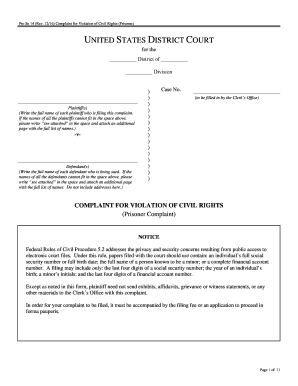
Get Pro Se 14 (rev
How it works
-

Open form follow the instructions
-

Easily sign the form with your finger
-

Send filled & signed form or save
How to fill out the Pro Se 14 (Rev) online
Filling out the Pro Se 14 (Rev) form is an important step for individuals seeking to file a complaint for violation of civil rights. This guide provides clear instructions on how to effectively complete the form to ensure it meets the necessary legal requirements.
Follow the steps to successfully complete your Pro Se 14 (Rev) form.
- Press the ‘Get Form’ button to access the Pro Se 14 (Rev) form and open it in your preferred editor.
- Begin by filling out the section for the plaintiffs. Write the full name of each plaintiff as it appears in official records. If the list exceeds the designated space, input ‘see attached’ and include an additional page with the full names.
- Proceed to the defendants' section and similarly provide the full name of each defendant being sued. Again, if necessary, input ‘see attached’ for additional names.
- In the 'Basis for Jurisdiction' section, indicate whether you are bringing suit against federal officials, state, or local officials, and specify the constitutional rights claimed to be violated.
- Fill out your prisoner status, marking your category such as pretrial detainee or convicted prisoner.
- Detail the 'Statement of Claim' by describing the events that occurred, including the defendants’ involvement, specific dates, and locations.
- If applicable, describe any injuries sustained as a result of the event and any medical treatment sought or received.
- Outline the relief you are seeking from the court, making sure to be concise and clear without including legal arguments.
- Complete the section regarding the exhaustion of administrative remedies, answering all relevant questions about grievance filings.
- If you have filed previous lawsuits relevant to your claim, provide that information as requested.
- Finally, in the certification section, sign and date the form, ensuring that your contact information is up to date for any future correspondence.
- Once all fields are completed, save your changes. You may choose to download, print, or share the completed form as needed.
Be sure to complete your documents online to ensure a smooth filing process.
Under 42 U.S.C. § 1983, you may sue state or local officials for the “deprivation of any rights, privileges, or immunities secured by the Constitution and [federal laws].” Under Bivens v.