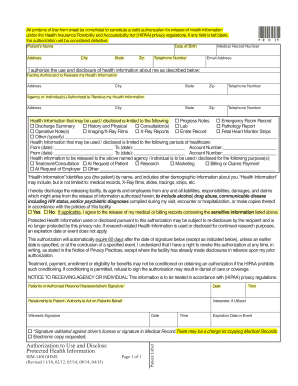
Get All Portions Of This Form Must Be Completed To Constitute A Valid Authorization For Release Of
How it works
-

Open form follow the instructions
-

Easily sign the form with your finger
-

Send filled & signed form or save
How to use or fill out the All Portions Of This Form Must Be Completed To Constitute A Valid Authorization For Release Of online
This guide provides clear instructions on how to properly complete the form titled 'All Portions Of This Form Must Be Completed To Constitute A Valid Authorization For Release Of'. Following these steps will ensure that you effectively authorize the release of your health information as required under the Health Insurance Portability and Accountability Act (HIPAA).
Follow the steps to accurately complete your authorization form.
- Press the ‘Get Form’ button to access the authorization form online and open it in the editor.
- Begin by filling in the patient's name, followed by their address, including city, state, and zip code.
- Enter the patient's date of birth and telephone number. Ensure all information is accurate.
- Provide the medical record number and email address of the patient.
- Indicate the facility that is authorized to release health information by completing its name and address, along with the city, state, and zip code.
- List the agency or individual(s) that are authorized to receive the health information, including their address and contact information.
- Specify the types of health information that may be used or disclosed by marking the appropriate options, or filling in 'Other' if necessary.
- Under the section for the periods of healthcare, record the dates by filling in the 'From' and 'To' fields, along with any account numbers related to those periods.
- State the purpose of the release of information by checking the relevant boxes that apply.
- Review the section regarding health information liability and make a choice regarding the release of sensitive information, if applicable.
- Sign the authorization with the patient’s or authorized personal representative’s signature, mention the date, and clarify the relationship to the patient or authority to act on their behalf.
- If an interpreter was utilized, provide their details.
- Complete the witness’s signature section and record the date and time.
- Specify an expiration date or event if different from the default 60 days.
- After completing the form, save changes, download, print, or share the form as needed.
Complete your documents online today to ensure your health information is released accurately and according to your wishes.
A: “Consent” is a general term under the Privacy Rule, but “authorization” has much more specific requirements. The Privacy Rule permits, but does not require, a CE to obtain patient “consent” for uses and disclosures of PHI for treatment, payment, and healthcare operations.
Industry-leading security and compliance
-
In businnes since 199725+ years providing professional legal documents.
-
Accredited businessGuarantees that a business meets BBB accreditation standards in the US and Canada.
-
Secured by BraintreeValidated Level 1 PCI DSS compliant payment gateway that accepts most major credit and debit card brands from across the globe.