Loading
Get Quiktrip Health Insurance
How it works
-

Open form follow the instructions
-

Easily sign the form with your finger
-

Send filled & signed form or save
How to fill out the Quiktrip Health Insurance online
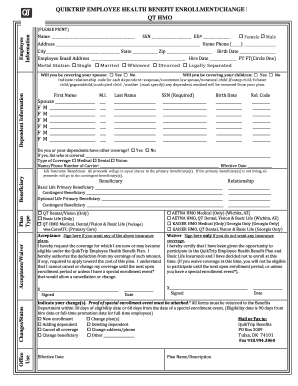
This guide provides a detailed overview of how to fill out the Quiktrip Health Insurance enrollment/change form online. Follow these clear instructions to ensure you complete each section accurately and efficiently.
Follow the steps to successfully complete your Quiktrip Health Insurance form.
- Click the ‘Get Form’ button to obtain the form and open it for editing.
- Begin by entering your personal information in the Employee Information section. This includes your name, Social Security Number (SSN), employee number, gender, address, home phone number, city, state, zip code, birth date, email address, hire date, and employment type (part-time or full-time). Ensure all fields are accurately filled to avoid delays.
- Indicate your marital status by selecting one of the options provided: single, married, widowed, divorced, or legally separated. This information is essential for the coverage selection process.
- In the Dependent Information section, specify whether you will cover your spouse or children by checking 'Yes' or 'No'. Then, list each dependent's information, including their first name, middle initial, last name, SSN, birth date, and relationship code.
- Complete the coverage details. Answer whether you or your dependents have other coverage, and if so, provide details about the type of coverage (medical, dental, vision) and the insurance carrier's name and phone number.
- Designate your life insurance beneficiaries. Fill out the names and relationships of your primary and contingent beneficiaries for basic and optional life insurance plans.
- Select the insurance plans you wish to enroll in by checking the appropriate boxes. You can choose from QT Dental/Vision, Basic Life, or a complete package that includes QT HMO Medical, Dental/Vision & Basic Life.
- If you wish to enroll in coverage, sign and date the signature section. If you are waiving coverage, you must fill out the waiver section and sign it.
- Indicate any changes to your insurance, if applicable. Attach proof of any special enrollment event and ensure the form is submitted to the Benefits Department within the specified time frames.
- Once all fields are completed, save your changes, download the form, print it, or share it as needed.
Complete your Quiktrip Health Insurance form online now to ensure your health coverage needs are met.
Sharing space with the Bolch family at No. 179, the Cadieux family is known for the QuikTrip convenience store banner. The chain has approximately 700 stores in 11 states. With a net worth also of $1.3 billion, the Cadieux family held the same spot in 2014.