Loading
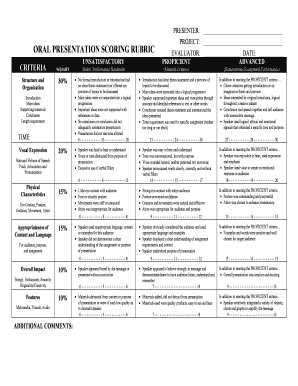
Get Oral Presentation Rubric
How it works
-

Open form follow the instructions
-

Easily sign the form with your finger
-

Send filled & signed form or save
How to use or fill out the Oral Presentation Rubric online
Filling out the Oral Presentation Rubric is essential for evaluating presentations effectively and fairly. This guide will provide clear, step-by-step instructions to help you navigate the process of completing the rubric online.
Follow the steps to fill out the Oral Presentation Rubric efficiently.
- Use the 'Get Form' button to obtain the Oral Presentation Rubric and open it in your preferred online editor.
- Begin with the 'Presenter' section. Enter the name of the presenter accurately to ensure proper identification.
- Next, move to the 'Project' section. Input the title of the project or presentation being evaluated.
- In the 'Evaluator' field, write your name as the person conducting the assessment.
- Enter the date of the evaluation in the designated 'Date' field. This is important for record-keeping.
- Proceed to assess the criteria according to the provided sections: structure and organization, vocal expression, physical characteristics, appropriateness of content and language, overall impact, and multimedia.
- For each criterion, read the descriptors carefully and select the rating that best reflects the presenter's performance, ensuring to consider the weight assigned to each component.
- Use the 'Additional Comments' section for any specific notes or feedback regarding the presentation, which may help the presenter understand areas for improvement.
- After completing the rubric, review all entries for accuracy.
- Finally, save your changes, then choose to download, print, or share the filled rubric as needed.
Get started with your evaluations by completing the Oral Presentation Rubric online today!
Steps for Planning Your Oral Presentation Determine your reasoning for this presentation. Is your purpose to inform, educate, entertain or convince? ... Keep only the most important information. Determine what your topic will be and the areas that you plan to touch upon. Know your Audience. ... Create an Outline. ... Practice.