day of .....…………………… 20... DECLARATION BY AUTHORISED REPRESENTATIVE OF EMPLOYER OR HEAD OF EDUCATIONAL INSTITUTION: I..........................................................………………………………...……………. (first name(s) and surname), ........................................………………. (ID number) in my capacity as ...............................................……………………………………... for and on behalf of the company, org.
Loading

Open form follow the instructions

Easily sign the form with your finger

Send filled & signed form or save
How to fill out the ZA Home Affairs Form 10 (BI-1739) online
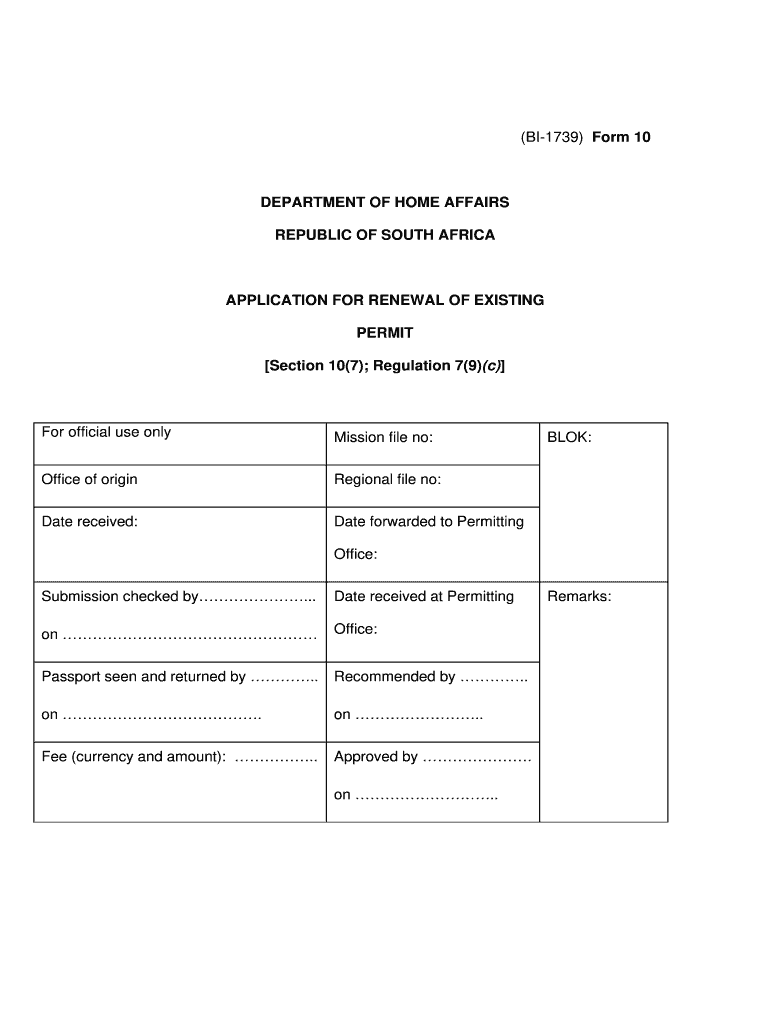
Filling out the ZA Home Affairs Form 10 (BI-1739) online can be a straightforward process when you follow the right steps. This guide aims to provide clear and supportive instructions for users looking to complete their application for the renewal of an existing permit.
Follow the steps to successfully complete your application.
- Click the ‘Get Form’ button to access the form and open it in your chosen digital application.
- Begin by entering your particulars in the designated fields. Include your surname or family name, first names, date of birth, and residential address in the Republic.
- Provide your home telephone number, including the area code.
- Fill in your passport details. This includes your passport number, issuing country, date of issue, and validity period.
- If applicable, provide information about any other identity document issued by your government, including the type, document number, and expiration date.
- Next, provide the details of your original permit. This includes the date of entry, permit number, place of entry, type of permit, date of expiry, and purpose of entry.
- Include information about any subsequent permits issued or most recent renewals. Provide the date, issuance location, date of issue or renewal, and date of expiry.
- In the declaration section, affirm that you understand the contents of the application and declare that the particulars you provided are true and correct by signing your name.
- If your application is being submitted by an authorized representative from your employer or educational institution, ensure they complete the appropriate declaration sections with their details.
- Review your filled form carefully, ensuring all sections are completed accurately. Once confirmed, save your changes, download the form, and prepare to print or share it if necessary.
Start completing your ZA Home Affairs Form 10 (BI-1739) online today!
Experience a faster way to fill out and sign forms on the web. Access the most extensive library of templates available.
Related content
by CB Justification · Cited by 17 — 9/ The FY 2017 International Narcotics Control and...
Forms BI-1738, BI-1739, BI-1740, if applicable. •. A Passport valid for not less than 30...
Mar 12, 2021 — Directors. 38. Directors' indemnities. 38. Dividends. 38. Corporate...
Get answers to your most pressing questions about US Legal Forms API.
How to fill a visa form for South Africa?
Filling out a visa form for South Africa requires attention to detail. Begin by downloading the proper form, like the ZA Home Affairs Form 10 (BI-1739), and gather the necessary documents, including your passport and photos. Follow the instructions carefully, ensuring all information is accurate and complete to avoid processing delays.
How to apply for a visa extension in South Africa?
To apply for a visa extension in South Africa, you must submit the ZA Home Affairs Form 10 (BI-1739) well before your current visa expires. Alongside this form, include supporting documents such as proof of financial means and a clear reason for your extension. Lastly, check with the Department of Home Affairs for any additional requirements that may apply.
Do US citizens need a visa for South Africa?
Yes, US citizens require a visa to enter South Africa for any purpose, be it tourism or business. To apply, you will need to complete the ZA Home Affairs Form 10 (BI-1739) among other requirements. It's essential to check the latest regulations to ensure you have everything in order for your trip.
How to apply for a visa for South Africa?
Applying for a visa to South Africa involves several steps. First, complete the ZA Home Affairs Form 10 (BI-1739) as part of your application. After that, gather all required documentation, such as your passport and proof of your travel plans. Finally, submit your application to a South African embassy or consulate, ensuring you allow enough processing time.
How to renew a work permit in South Africa?
To renew your work permit in South Africa, start by gathering the necessary documents, including your ZA Home Affairs Form 10 (BI-1739). Submit your application before your current permit expires. Ensure that you meet all required qualifications and check the specific renewal conditions that may apply to your category of work permit.
How to get a visa in South Africa?
To obtain a visa in South Africa, you need to visit the relevant authorities or their online platform to find the application process for your specific visa type. Usually, it involves filling out the ZA Home Affairs Form 10 (BI-1739) and gathering required documentation. Submitting a complete application can lead to a smoother approval process.
How long does it take to get a US visa in South Africa?
The processing time for a US visa in South Africa can vary. Typically, it may take a few days to several weeks, depending on the type of visa and the current workload at the embassy. Preparing your application well, including the ZA Home Affairs Form 10 (BI-1739) if necessary, can help speed up the process.
What are the requirements to get a South African visa?
To obtain a South African visa, you generally need a valid passport, a completed ZA Home Affairs Form 10 (BI-1739), and additional documents depending on your specific visa type. These documents may include proof of financial means, medical insurance, and accommodation arrangements. It's essential to ensure all paperwork is correctly filled out to avoid delays in processing.
Is visa extension for foreigners in South Africa 2025?
Visa extensions for foreigners in South Africa will likely continue beyond 2025, as long as you meet the necessary requirements. Be sure to check the current immigration policies and prioritize completing the ZA Home Affairs Form 10 (BI-1739) for any future applications. Reliable resources, like uslegalforms, can assist you in keeping updated on visa regulations. It's always best to stay informed to navigate the process successfully.
How to extend a visitor visa in South Africa?
To extend your visitor visa in South Africa, you need to apply before your current visa expires. Begin by filling out the ZA Home Affairs Form 10 (BI-1739) to initiate the extension process. It's important to gather supporting documents, such as proof of accommodation and financial means. By preparing thoroughly, you increase your chances of a successful extension.
Use professional pre-built templates to fill in and sign documents online faster. Get access to thousands of forms.
If you believe that this page should be taken down, please follow our DMCA take down process here.