Loading
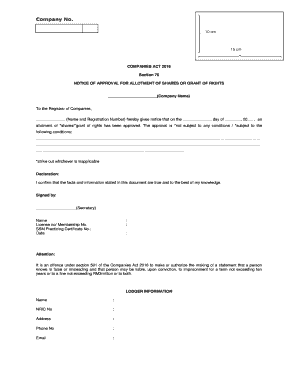
Get Notice Of Approval For Allotment Of Shares Or Grant Of Rights
How it works
-

Open form follow the instructions
-

Easily sign the form with your finger
-

Send filled & signed form or save
How to fill out the NOTICE OF APPROVAL FOR ALLOTMENT OF SHARES OR GRANT OF RIGHTS online
Filling out the notice of approval for allotment of shares or grant of rights is a crucial step in ensuring compliance with the Companies Act 2016. This guide will provide clear, step-by-step instructions to help you complete the form correctly and efficiently.
Follow the steps to accurately complete the form online.
- Press the ‘Get Form’ button to retrieve the form and open it in the designated editor.
- Begin by entering the company name in the designated field, ensuring you provide the full and accurate name as registered.
- In the section for the registrar of companies, fill in the name and registration number of the relevant authority to whom you are reporting.
- Specify the date of the approval in the allotted space. Make sure the format aligns with standard date practices.
- Indicate whether the allotment of shares or grant of rights is subject to conditions. Check the appropriate box and if there are conditions, clearly outline them in the provided space.
- Submit a declaration stating that the information in this document is correct to the best of your knowledge. This section should be signed by the secretary or appropriate signatory.
- Include the signatory's name, license number, membership number, and SSM practicing certificate number.
- Fill in the date of signing to complete this section.
- Complete the lodger information section by providing the necessary details such as name, NRIC number, address, phone number, and email.
- Once all fields are complete and accurate, review your entries for any errors. You may then save the changes, download the form, print a copy, or share it as needed.
Complete your documents online today for a streamlined filing experience.
Process of Allotment of Shares Confirm the Shareholdings and Shareholders' ID. ... Call and Convene a Board Meeting. ... Update Company's House with the New Allotment of Shares (SH01) ... Issue New Share Certificates. ... Update the Company's Confirmation Statement (CS01) with the Totals of New Shares.
Industry-leading security and compliance
US Legal Forms protects your data by complying with industry-specific security standards.
-
In businnes since 199725+ years providing professional legal documents.
-
Accredited businessGuarantees that a business meets BBB accreditation standards in the US and Canada.
-
Secured by BraintreeValidated Level 1 PCI DSS compliant payment gateway that accepts most major credit and debit card brands from across the globe.