Loading
Get E&m Audit Form - Rochester, Ny
How it works
-

Open form follow the instructions
-

Easily sign the form with your finger
-

Send filled & signed form or save
How to fill out the E&M audit form - Rochester, NY online
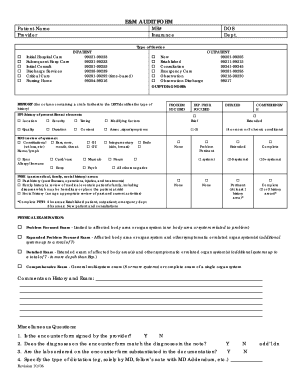
Filling out the E&M audit form is an important step in ensuring accurate documentation and coding for medical services. This guide will assist you in completing the form online with ease and confidence.
Follow the steps to accurately complete the form.
- Press the ‘Get Form’ button to access the E&M audit form and open it in your preferred online editor.
- Begin by entering the patient's name and the provider’s name in the designated fields.
- Provide the medical record number (MR#) and insurance details as required in the respective fields.
- Fill in the date of service (DOS) and department information according to the clinical encounter.
- In the type of service section, select the applicable options by marking the appropriate boxes. Choose between inpatient or outpatient services as directed.
- Proceed to the outpatient diagnosis area to specify the diagnosis related to the patient’s visit.
- Complete the history section, selecting the relevant elements for history of present illness (HPI), review of systems (ROS), and past, family, and social history (PFSH) as per the patient's details.
- In the physical examination section, check the box that pertains to the exam type performed.
- Add any comments on history and exam in the provided space, ensuring to summarize key observations.
- Answer the miscellaneous questions regarding the encounter form and provider's notes by marking ‘Yes’ or ‘No’ as appropriate.
- Follow the tables for medical decision making to score the encounter, using the data collected during the visit.
- Conclude by assigning the MD and reviewer codes, along with the review date and time spent on the visit.
- Once all information has been inputted, save your changes, and download or print the completed form as needed.
Complete your E&M audit form online today to ensure your documentation is accurate and compliant.
0:34 3:00 Smart prepayment meter balance - YouTube YouTube Start of suggested clip End of suggested clip Simply press the utility. Button. Your in-home display will present a low credit warning on screenMoreSimply press the utility. Button. Your in-home display will present a low credit warning on screen along with an audible bleep every 60 seconds when credit is running.