Loading
Get Retro Office/clinic Authorization Form
How it works
-

Open form follow the instructions
-

Easily sign the form with your finger
-

Send filled & signed form or save
How to fill out the RETRO OFFICE/CLINIC AUTHORIZATION FORM online
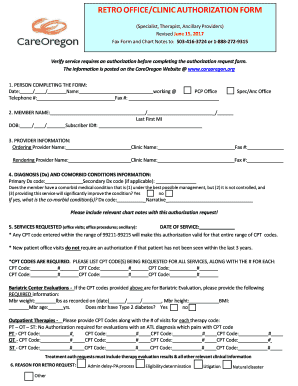
Filling out the RETRO OFFICE/CLINIC AUTHORIZATION FORM online can streamline the authorization process for medical services. This guide provides detailed steps to assist users in completing the form accurately and efficiently.
Follow the steps to complete the authorization form online.
- Press the ‘Get Form’ button to access the form, then open it in the editor.
- In the first section labeled 'Person completing the form', input the required date, your name, telephone number, and fax number. Ensure that all fields are filled out completely.
- Proceed to the 'Member name' section where you will enter the member’s date of birth, last name, first name, middle initial, subscriber ID number, and the primary care provider's office details.
- Next, fill in the 'Provider information' section by entering the names and fax numbers for the ordering and rendering providers. This includes both the clinic names and relevant contact information.
- In the 'Diagnosis (Dx) and comorbid conditions information' section, provide the primary and any secondary diagnosis codes. If applicable, answer the question regarding comorbid conditions with 'Yes' or 'No' and further detail any significant conditions that could improve with the requested service.
- Move on to the 'Services requested' section. Here, include the date of service and list the required CPT codes for each service being requested, ensuring to note any codes associated with bariatric evaluations or outpatient therapies.
- Complete the 'Reason for retro request' section by indicating the reason for the authorization request, choosing from the options provided.
- Finally, review all your entries for accuracy. Once everything is completed, you can save changes, download, print, or share the form as needed.
Start filling out your documents online today!
Do you have questions about the Oregon Health Plan (OHP)? If you have questions about your OHP benefits, welcome packet or ID cards, please contact the Client Services Unit at 1-800-273-0557. If you have questions about eligibility, applications or related issues, please contact OHP Customer Service at 1-800-699-9075.
Industry-leading security and compliance
US Legal Forms protects your data by complying with industry-specific security standards.
-
In businnes since 199725+ years providing professional legal documents.
-
Accredited businessGuarantees that a business meets BBB accreditation standards in the US and Canada.
-
Secured by BraintreeValidated Level 1 PCI DSS compliant payment gateway that accepts most major credit and debit card brands from across the globe.